
Medical Alert Systems Comparison: Cost, Features & Fit
Prices and terms checked July 19, 2026. No company reviewed this page before publication, and inclusion and ordering are decided before any commercial relationship is considered. How this page is funded: Aging Parent HQ is supported by advertising and, on some pages, disclosed referral links. No provider has paid for placement, ordering, or inclusion on this page, and compensation never determines what is included or how it is ranked. If a compensated link is added to this page, it will be disclosed here.
Choose the type of medical alert system before you choose a brand. For a parent who is mostly at home, start with a cellular home base paired with a wearable or wall button. For a parent who regularly drives or goes out alone, compare mobile GPS devices. For a parent who rejects pendants, compare a watch or a voice-activated home system. A no-monthly-fee direct-call device is comparable only when the required phone connection exists and designated contacts reliably answer.
Once the type is settled, four things decide the purchase: connectivity at your parent's actual address, the real first-year total cost, the written contract, trial, and return terms, and whether your parent will actually wear, charge, and use the device. No system is best for everyone, so this page compares by fit and by evidence rather than by ranking. Among the plans priced here, published monitoring runs from $24.99 to $79.95 a month and a year-one total lands between roughly $335 and $1,078 — a floor that assumes no hardware charge and a ceiling built on a setup figure the provider's own pages state two ways. Every figure was checked against official provider pages on July 19, 2026 and carries a verification label, with final checkout and the written agreement always controlling. The smallest useful first step: walk the situation table below with your parent, shortlist two or three plans, and test the choice in their actual home before the return window closes.
Call 911 for an immediate emergency. A medical alert system is a communication tool. It does not prevent falls, and it does not replace medical care, a clinical assessment, or daily support.
Which system fits which situation?
- Best for a parent who is mostly at home: an at-home cellular system with a wearable or wall button (professionally monitored). Choose the landline version only when the line is active and dependable.
- Best for a parent who regularly drives or goes out alone: a mobile GPS device with two-way voice (professionally monitored), if they will keep it charged.
- Best for a parent who refuses a pendant: a voice-activated or wall-button home system, or a watch they have agreed to wear.
- Best for a strict no-monthly-fee budget: a direct-call device (unmonitored), only when the required connection exists and designated contacts reliably answer.
- Best when you are not sure, or your parent has not weighed in: a conversation with your parent first — and a clinician's fall-risk review after a recent fall — before any purchase.
Choose none of these yet if your parent has not been part of the decision, or if a recent fall, new dizziness, or a medication change is driving the urgency — talk together first and ask their clinician for a fall-risk assessment. Call 911 now for any immediate emergency; no comparison step comes before that.
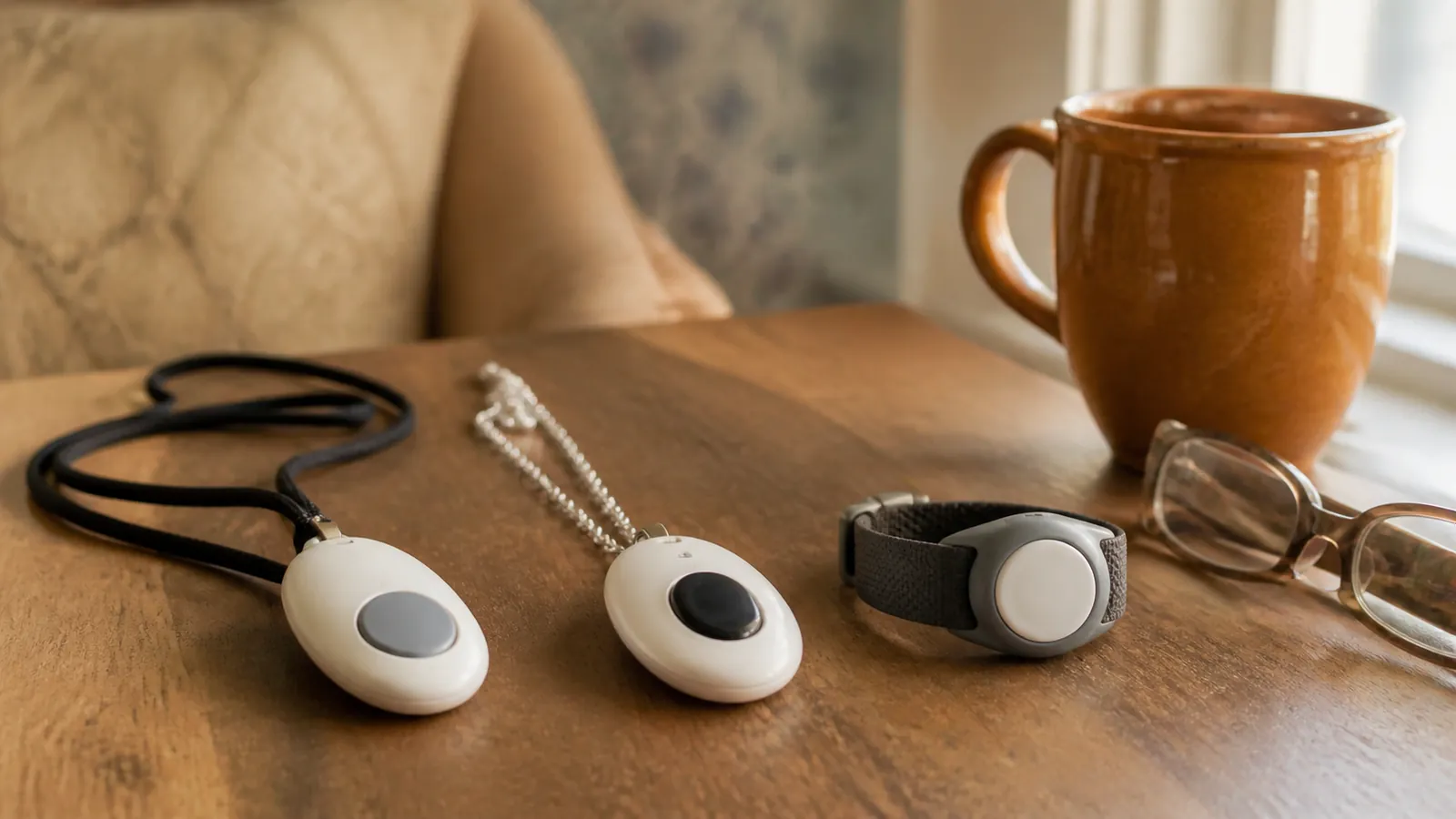
On this page
- Which system fits which situation?
- Which type of medical alert system fits your parent?
- How do the systems compare on cost, fit, and terms?
- How we selected and verified these options
- Medical Guardian vs Bay Alarm Medical: which fits which family?
- Monitored options by best-fit scenario
- What does a no-monthly-fee medical alert actually mean?
- Life Alert alternatives and when to request a quote
- How much will a medical alert system really cost?
- What to verify before you buy
- How to test the system in the first 48 hours
- When is a medical alert not enough?
- Frequently asked questions
- Bottom line and first next step
- How this page is researched and kept current
- Sources and last verified date
Which type of medical alert system fits your parent?
Where and how your parent lives — not brand recognition or a promotional price — should choose the type. A medical alert system (sometimes sold as a personal emergency response system, or PERS) comes in six broad types, and the wrong type fails no matter how good the brand is.
At-home landline systems
A base station plugs into an active landline and connects to wearable or wall-mounted buttons within its range. Usually the lowest published monthly price in the category, it fits a mostly-at-home parent with a landline they actually keep in service. Range varies by home — test the button from the bathroom, bedroom, stairs, yard, and garage — and if the line is unreliable or about to be dropped, choose cellular instead.
At-home cellular systems
The same base-and-button layout with cellular service built into the base — no landline and, for most plans reviewed here, no home Wi-Fi required. It is the default starting point for a mostly-at-home parent. Verify signal at the actual address, not the ZIP code, and ask which network the base uses before ordering.
Mobile GPS systems
A pocket or pendant device with two-way voice and location services that works wherever its cellular network has coverage — at home, in the car, and on errands. It fits a parent who regularly goes out alone, but it depends on two things a home system does not: a charging routine your parent will keep, and coverage along their regular routes. Test both during the trial.
Medical-alert watches
The most discreet option and the easiest sell for a parent who dislikes medical-looking devices. Watches usually cost more, still require interaction, and most need regular charging — the UnaliWear Kanega Watch is the exception, using swappable batteries so it never comes off at night. Against a pendant the trade is narrow and worth naming: a watch is likelier to be worn and less likely to end up on a nightstand, while a pendant costs less on this page, is easier to press in a hurry, and carries no charging routine unless the model requires one. If your parent already wears a watch, start there; if they do not, a pendant they have agreed to wear beats a watch they have not. Confirm network, charging habits, and how fall detection is handled on the specific model.
Voice-activated and non-wearable systems
Wall buttons and voice-activated consoles cover a parent who simply will not wear anything. These are home-only systems, and coverage is room by room: buttons belong where falls actually happen. Test voice recognition and range in the actual home — an open floor plan and a closed-door bathroom behave very differently.
No-monthly-fee direct-call devices
A direct-call device dials programmed contacts and/or 911 when the button is pressed. There is no monitoring center and no monthly fee — and that difference matters enough to get its own section below before you treat it as equivalent to a monitored system.
When memory or hearing changes the fit
Two things move the type decision more than budget does, and neither appears in a feature list.
Pressing a button assumes your parent recognizes an emergency, remembers the device exists, and can reach it. Where memory has changed, that assumption carries less weight, and voice-activated consoles, wall buttons placed where falls happen, and automatic fall detection carry more of it. A device is not an answer to a memory question, though — ask their clinician what they would do first, and see our guide to early signs of dementia if that is what prompted the search.
Two-way voice is also a hearing task, performed from the floor, often with the base a room away. If your parent finds phone calls difficult, ask whether the pendant itself carries voice, how loud the base is, and whether the plan can also alert family by text so a call is not the only path — our guide to OTC and prescription hearing aids covers that side of it.
From situation to shortlist
Run this with your parent, not for them. The output is a system type, not a brand — and three of these rows end somewhere other than a purchase.
| Care situation | Type to choose and options to evaluate | Confirm first |
|---|---|---|
| Anyone is in immediate danger right now | Call 911. No comparison, quote, or purchase step comes before that | Nothing on this page — stop here and come back afterwards |
| Your parent has not been part of the decision, or does not want a device | A conversation first, not a purchase — our guide to how to talk about a medical alert without taking over can help | Whether the objection is the device itself, the loss of privacy, or what owning one would signal; a competent adult's own preference governs |
| Lives alone, mostly at home, budget matters | At-home cellular: MobileHelp Classic Cellular, Bay Alarm SOS Home, Lifeline HomeSafe Cellular | Cellular signal at the address; range from every high-risk room; first-year total in writing |
| Drives or goes out alone; caregiver lives far away | Mobile GPS: Lively Mobile2, Medical Guardian MG Mini, Medical Care Alert HOME & AWAY | Network coverage on regular routes; whether the charging routine will honestly happen; caregiver app permissions set with your parent |
| Will not wear a pendant | Voice/wall-button or watch: GetSafe, UnaliWear Kanega Watch, Bay Alarm SOS Smartwatch | Room-by-room coverage or watch acceptance; charging or battery-swap routine; fall-detection handling |
| Memory or hearing has changed | Ask the clinician first, then compare voice-activated or wall-button systems and text-capable caregiver alerts | What the clinician recommends; whether your parent can use two-way voice reliably; who is notified when a call is not answered |
| Recent fall, new dizziness, or changing mobility | A professional assessment first: ask their clinician for a fall-risk review before or alongside a purchase | What the clinician recommends; whether home changes or support come before or with a device |
| No dependable landline and weak or no cell signal at the address | None of the standard types will work as sold — ask the Area Agency on Aging about loaner and landline-restoration programs before you order anything | Which carrier each base uses; whether any of a provider's plans work at an address with no landline and no signal, in writing; whether the provider refunds if signal fails the in-home test |
| Monthly cost is out of reach | Public programs before providers: state Medicaid waiver, a Medicare Advantage extra benefit, or the Area Agency on Aging | Whether personal emergency response is covered for your parent, in writing, and which device the program will pay for |
A device is one layer of a broader plan — the room-by-room aging-in-place checklist covers the home-safety work no button replaces.
How do the systems compare on cost, fit, and terms?
Medical alert price and terms matrix — version 1, checked July 19, 2026. The next scheduled check is September 19, 2026, and changes will be logged below at each monthly refresh. Blank means unverified, never zero. All options except LogicMark are equipment-plus-monitoring vendors: they sell or lease the hardware and provide professional 24/7 monitoring under a written agreement. Where a cell does not name a network or a trial window, that item was not verified in this run — ask for it in writing before you pay.
| Option and representative systems | Type, service model, and network | Published monthly | Key one-time fees | Fall detection | Contract, trial, and return evidence | Evidence status |
|---|---|---|---|---|---|---|
| Medical Guardian — MG Home Cellular; MG Mini | Home cellular; mobile GPS (monitored) · MG Mini: AT&T with Wi-Fi location backup — confirm the carrier in writing | $37.95 home; $39.95 MG Mini | Equipment varies by device and checkout — verify | $10/mo on eligible devices | No long-term contract marketed; trial window not verified; cancellation requires return and a written process; restocking may apply | Open conflict: MG Mini battery listed as both up to 3 and up to 5 days |
| Bay Alarm Medical — SOS Home; SOS All-in-One; SOS Micro; SOS Smartwatch | Home landline/cellular; mobile; watch (monitored) · network not verified | $27.95 landline; $34.95 cellular/mobile; $39.95 watch | Hardware treatment varies by plan — verify | Device-specific add-on — verify price | 15-day trial; no long-term contract advertised; get cancellation in writing | Verified starting prices; equipment and cancellation need checkout confirmation |
| MobileHelp — Classic Cellular | Home cellular (monitored) · network not verified | $25.95 | No equipment or activation fee marketed for this plan | Optional — verify current price | Marketing says month-to-month, cancel anytime; legal terms state a 3-month minimum and a $50 restocking fee; trial window not verified | Conflict/open: unsettled until MobileHelp confirms in writing |
| Lifeline — HomeSafe Cellular; On the Go Mini; smartwatch | Home cellular; mobile; watch (monitored) · network not verified | Plans start at $34.95 | Not fully exposed on public pages | Eligible plans — verify price | FAQ: no long-term commitment; signed monitoring agreement; cancellation follows equipment return; trial window not verified | Partially verified: total price requires checkout or a written quote |
| Lively — Mobile2 | Mobile GPS (monitored) · network not verified | $24.99 Basic; $34.99 Premium, with paperless-billing discount | $79.99 device; $35 activation may apply | $9.99/mo | No long-term contract advertised; trial window not verified | Verified public pricing; taxes, fees, and discount conditions apply |
| ADT Health — Basic; Plus; On-The-Go | Home landline/cellular; mobile (monitored) · network not verified | $31.99; $39.99; $41.99 | $99.99 activation on reviewed plans | $11/mo | Month-to-month language in current health terms; trial window not verified; verify cancellation and equipment return | Verified from official legal terms; final checkout controls |
| GetSafe — Starter; Standard; Select | Voice/wall-button home, cellular (monitored) · AT&T 4G LTE home service | $29.95 all plans | $79; $193; $307 equipment at regular list price | $10/mo, optional pendant | Trial window not verified; confirm cancellation and return for leased or returnable components | Verified at regular list prices; a temporary sale was excluded |
| Medical Care Alert — HOME; HOME & AWAY; smartwatch | Home cellular; mobile GPS; watch (monitored) · network not verified | $29.95 HOME; $39.95 HOME & AWAY or smartwatch | $149.95 smartwatch equipment; no activation fee advertised | $10/mo | 14-day try period; month-to-month; cancellation effective after equipment return | High-confidence terms from public agreement and returns pages |
| UnaliWear — Kanega Watch | Watch (monitored) · Verizon network | $79.95, or $64.95 effective with annual prepay | $299 setup per detailed FAQ; page header shows a conflicting figure | Included | No long-term contract; cancelable service; trial window not verified | Price-presentation conflict: verify at live checkout before relying on a total |
| LogicMark — Freedom Alert | Direct-call device — unmonitored · requires an active landline | $0 | $299 device | Not included on the reviewed product | One-time purchase; calls programmed contacts and/or 911, not a monitoring center | Adjacent option — not equivalent to 24/7 professional monitoring |
Three things stand out. The lowest published entries by type are MobileHelp at $25.95 for home cellular, Bay Alarm at $27.95 for home landline, and Lively at $24.99 per month for mobile — though Lively's device cost and possible activation fee raise its first year. The most complete public terms belong to ADT Health, Medical Care Alert, and Lively, which publish plan-level fees or governing agreements. The most important open conflicts are MobileHelp's month-to-month marketing versus its 3-month minimum, Medical Guardian's MG Mini battery listing, and UnaliWear's price presentation — get written answers before paying.
Whichever two or three options you shortlist — from this table or beyond it — score them all against the same what-to-verify checklist below, not each brand's own marketing categories.
Price and terms change log
Prices in this category move often, and a comparison that quietly updates itself is impossible to check. Every change to the matrix above is recorded here instead, with the date and the source, so you can see whether a figure moved since you last looked.
| Refresh date | What changed | Source of the change |
|---|---|---|
| July 19, 2026 | Version 1 — baseline established; every figure in the matrix checked for the first time | The provider pages listed in Sources |
| August 20, 2026 | MG Mini network corrected: the earlier "AT&T or Verizon" description was replaced with AT&T connectivity with Wi-Fi location backup, matching the provider's current product page; the matrix, head-to-head table, and Medical Guardian profile were updated | MG Mini product page — Medical Guardian, checked August 10, 2026 |
Next scheduled check: September 19, 2026.
How we selected and verified these options
Every option passed the same inclusion gates and current-source checks. Unverified terms are labeled rather than guessed, and no company's inclusion, order, or wording was influenced by any commercial relationship — how this page is funded is stated at the top of the page.
Inclusion gates
An option had to serve a U.S. family choosing a home, mobile, watch, voice, or no-fee alert path; show a current official price or an explicit quote-required status; have a describable connection mode, network, and monitoring or direct-call workflow; have current contract, cancellation, or return evidence — or a prominently labeled gap; and add a distinct best-fit scenario rather than padding the list.
Source hierarchy and the conflict rule
The order: current provider legal or service terms and written checkout or quote; then official product and pricing pages; then official government health and consumer guidance; then independent testing for context only. When marketing conflicts with legal terms, the legal terms govern. When a page conflicts with itself, we display the conflict rather than silently choosing the nicer claim. One provider's page is never evidence about a competitor.
Evidence-status labels
Verified: current official product and governing terms agree. Partially verified: the core value is official but an associated fee or limit is not fully public. Conflict/open: marketing and terms disagree, or a page contradicts itself. Quote required: the official public page gives no numeric price or complete term. Adjacent/not equivalent: the option solves a related need but lacks a core category property, such as professional monitoring.
What we did not test
Aging Parent HQ did not conduct hands-on response-time or fall-detection testing, and no third-party test result appears here as our own. The comparison is built from official provider documentation, refreshed monthly. Ordering is by system type: the full-line home-and-mobile providers first, alphabetically, then the single-format specialists — mobile-only, then non-wearable, then watch-first. No scoring, star, or ranking system is used on this page.
Considered but not included
- Life Alert — its official cost page provided no numeric price or complete service term as of July 19, 2026; treated as a quote-required comparator below.
- LifeFone — reviewed official pages did not expose complete current prices and terms as of July 19, 2026.
- LifeStation — transparent public pricing and complete terms were not verified in this research run as of July 19, 2026.
- Apple Watch and smartphone SOS features — not a dedicated medical alert service as of July 19, 2026; device, carrier, setup, and feature availability vary. See the adjacent row in the Who-Answers Test below.
- Insurance- or Medicaid-provided devices — coverage and vendor are plan- and state-specific; no universal entitlement was verified as of July 19, 2026. Request written benefit confirmation from the specific plan or program.
Medical Guardian vs Bay Alarm Medical: which fits which family?
Neither is a universal winner. In the July 19, 2026 snapshot, Medical Guardian fits families who want a broad home-to-mobile lineup and a broader caregiver ecosystem; Bay Alarm Medical fits families who care most about lower published starting prices.
| Medical Guardian | Bay Alarm Medical | |
|---|---|---|
| Home monthly | $37.95 home cellular | $27.95 landline; $34.95 cellular |
| Mobile monthly | $39.95 MG Mini, AT&T with Wi-Fi location backup | $34.95 SOS All-in-One or SOS Micro |
| Watch | Not compared in this run | $39.95 SOS Smartwatch |
| Trial and return | Trial window not verified; written cancellation process; restocking may apply — verify | 15-day trial advertised |
| Open questions | Equipment fees by device; MG Mini battery listed as both up to 3 and up to 5 days | Plan-level hardware fees; written cancellation terms |
Choose Medical Guardian when
You want one provider's broad lineup and caregiver tools to grow from home to mobile. Note on coverage: the MG Mini product page describes AT&T connectivity with Wi-Fi location backup, so confirm in writing that AT&T serves your parent's address and routes before ordering.
Choose Bay Alarm Medical when
Published starting price drives the decision — Bay Alarm's pricing page lists the lowest home landline entry here at $27.95 — and a 15-day trial is enough time to complete the in-home test.
Verify these items before choosing either
Get the exact equipment fee and first-year total at checkout; confirm network coverage at your parent's actual address; confirm the fall-detection price on the device you are buying; and get return, restocking, and cancellation terms in writing — Medical Guardian's legal policies govern over its marketing pages. Fall-detection pricing for both providers sits in the matrix above.
If you want a ranked shortlist rather than a head-to-head, our best medical alert systems guide plays that role; this page stays non-ordinal on purpose.
Monitored options by best-fit scenario
Profiles carry identical fields for every option: network, trial and return window, cost basis, evidence status, best-for, not-ideal-for, what to confirm before you pay, and when to revisit the choice. All nine are equipment-plus-monitoring vendors with professional 24/7 monitoring; prices are as of July 19, 2026.
ADT Health
A traditional monitoring brand whose plan-level pricing sits, unusually, in its official health terms and conditions: $31.99 Basic, $39.99 Plus, and $41.99 On-The-Go, with a $99.99 activation fee and fall detection at $11 per month.
Network: not verified in this run — confirm the connection type and carrier for the plan you buy.
Trial and return window: not verified in this run — get the return period in writing.
Cost basis — ADT Health: monthly monitoring $31.99, $39.99, or $41.99 by plan · one-time activation $99.99 on the reviewed plans · fall detection $11 per month add-on · equipment charge not separately stated in the reviewed terms.
Evidence status — ADT Health: verified from the official legal terms July 19, 2026; no conflict found in the reviewed documentation. Final checkout controls.
Best for — ADT Health: a household that values an established monitoring brand and clear plan-level legal pricing.
Not ideal for — ADT Health: a shopper focused on avoiding activation fees or finding the lowest published first-year cost.
Confirm before you pay: the written cancellation and equipment-return process, and the final checkout total with taxes and shipping.
Revisit when: your parent starts going out alone regularly, or the activation-plus-monthly total stops beating a lower-priced home cellular plan.
Bay Alarm Medical
A broad home-to-mobile lineup — SOS Home, SOS All-in-One, SOS Micro, and SOS Smartwatch — with the lowest verified home landline entry in this comparison on its published pricing: $27.95 landline, $34.95 cellular and mobile, and $39.95 watch, with a 15-day trial and no long-term contract advertised across the lineup.
Network: not verified in this run — ask which carrier the cellular and mobile plans use.
Trial and return window: 15-day trial advertised (checked July 19, 2026); get refund treatment in writing.
Cost basis — Bay Alarm Medical: monthly monitoring $27.95 landline, $34.95 cellular and mobile, $39.95 watch · plan-level hardware treatment not fully exposed on the reviewed pages · fall detection a device-specific monthly add-on, price not verified.
Evidence status — Bay Alarm Medical: starting prices and the 15-day trial verified from the official pricing page July 19, 2026; equipment charges and written cancellation terms still need checkout confirmation.
Best for — Bay Alarm Medical: families prioritizing a low published entry price and a progression from home to mobile within one provider.
Not ideal for — Bay Alarm Medical: buyers who need a long trial window or want no upfront hardware costs on mobile and watch plans.
Confirm before you pay: plan-level equipment charges, the fall add-on price for the specific device, and written cancellation and return terms.
Revisit when: the 15-day window is closing and the in-home test is unfinished, or your parent moves from home use to daily outings.
Lifeline
An established full line — HomeSafe Cellular, On the Go Mini, and a smartwatch — whose official FAQ lists plans from $34.95 with monthly, semiannual, or annual billing, a signed monitoring agreement, no long-term commitment, and cancellation following equipment return. One-time fees are not fully exposed on the public HomeSafe Cellular and On the Go Mini pages. The trade here is name recognition against price transparency: you can learn the monthly rate from a web page, but not the total.
Network: not verified in this run — ask which carrier the base and mobile device use.
Trial and return window: the official FAQ states no long-term commitment and cancellation after equipment return; a specific trial window was not verified in this run.
Cost basis — Lifeline: monthly monitoring from $34.95, billed monthly, semiannually, or annually · one-time fees not exposed on the reviewed public pages · fall detection available on eligible plans, price not verified.
Evidence status — Lifeline: partially verified from the official FAQ and product pages July 19, 2026; the complete first-year total requires checkout or a written quote.
Best for — Lifeline: families who want an established full-line provider with flexible billing.
Not ideal for — Lifeline: shoppers who need complete one-time-fee and add-on transparency without calling or entering checkout.
Confirm before you pay: the complete first-year total in writing, the fall-detection price on the chosen plan, and every one-time fee.
Revisit when: the written first-year total arrives — that is the moment this plan becomes comparable to the priced options here.
Medical Care Alert
Home, mobile GPS, and watch formats with unusually complete public terms: current prices of $29.95 HOME and $39.95 for HOME & AWAY or the smartwatch ($149.95 equipment), fall detection at $10 per month, no activation fee advertised, month-to-month service under a public monitoring agreement with cancellation effective after equipment return, and a 14-day try period per its shipping and returns page. Battery expectations differ: about 36 hours on the mobile unit versus up to 48 on the watch.
Network: not verified in this run — ask which carrier the cellular and GPS devices use.
Trial and return window: 14-day try period (checked July 19, 2026); cancellation effective after equipment return.
Cost basis — Medical Care Alert: monthly monitoring $29.95 HOME, $39.95 HOME & AWAY or smartwatch · one-time smartwatch equipment $149.95 · no activation fee advertised · fall detection $10 per month add-on.
Evidence status — Medical Care Alert: verified July 19, 2026 across current product pages, the public monitoring agreement, and the shipping and returns page — the most complete public terms in this comparison. Return deductions are not published.
Best for — Medical Care Alert: families who want transparent monitoring terms and a choice among home, GPS, and watch formats.
Not ideal for — Medical Care Alert: buyers who need a 30-day trial or want to avoid possible return deductions.
Confirm before you pay: return shipping and deduction amounts, and the exact battery expectations for the device chosen.
Revisit when: the 14-day try period is nearly up, or the device's battery expectation stops matching your parent's routine.
Medical Guardian
The broadest home-to-mobile range among the plans priced here, from the MG Home Cellular base at $37.95 to the MG Mini mobile device at $39.95, with fall detection at $10 per month on eligible devices per its current product pages; its watch was not compared in this run. No long-term contract is marketed, but cancellation requires equipment return and a written process under its legal policies; a restocking fee may apply.
Network: the MG Mini product page describes AT&T connectivity with Wi-Fi location backup (checked August 10, 2026) — confirm in writing which carrier serves your parent's address; the home base network was not verified in this run.
Trial and return window: not verified in this run; cancellation requires equipment return under a written process, and a restocking fee may apply.
Cost basis — Medical Guardian: monthly monitoring $37.95 MG Home Cellular, $39.95 MG Mini · equipment charge varies by device and checkout · fall detection $10 per month on eligible devices · a restocking fee may apply on return.
Evidence status — Medical Guardian: open conflict — the MG Mini page currently lists battery life as both up to 3 and up to 5 days, and equipment fees vary by device and checkout. Plan prices verified from current product pages July 19, 2026.
Best for — Medical Guardian: families wanting a broad lineup and a caregiver portal that can grow from home to mobile.
Not ideal for — Medical Guardian: budget-first buyers, or anyone who needs an unambiguous battery and equipment-fee statement before checkout.
Confirm before you pay: the equipment fee and first-year total for the exact device, the written return and restocking terms, and the real battery expectation.
Revisit when: the battery and equipment-fee answers arrive in writing, or carrier coverage at your parent's address changes.
MobileHelp
The lowest published home cellular monthly in this comparison — $25.95 for Classic Cellular, with no equipment or activation fee marketed for that plan. Ownership disclosure: MobileHelp has been owned by Medical Guardian since a 2024 acquisition, so MobileHelp and Medical Guardian are one corporate family rather than independent alternatives — shortlisting both is not a two-company comparison. The other catch is a material conflict: the homepage markets month-to-month service you can cancel anytime, while the terms and conditions state a 3-month minimum commitment and a $50 restocking fee.
Network: not verified in this run — ask which carrier the cellular base uses.
Trial and return window: not verified in this run, and unsettled against the 3-month minimum — get both in writing together.
Cost basis — MobileHelp: monthly monitoring $25.95 for Classic Cellular · no equipment or activation fee marketed for that plan · fall detection an optional add-on, current price not verified · $50 restocking fee stated in the terms.
Evidence status — MobileHelp: conflict/open — marketing and legal terms disagree on the minimum commitment, and the legal terms govern. Unsettled until MobileHelp confirms in writing. Plan price verified July 19, 2026.
Best for — MobileHelp: a budget-sensitive household seeking a home cellular system with a long published in-home range.
Not ideal for — MobileHelp: anyone unwilling to accept unclear cancellation economics until MobileHelp confirms them in writing.
Confirm before you pay: written confirmation of the minimum term, the restocking fee, the refund treatment, and the current fall-detection add-on price.
Revisit when: MobileHelp confirms the minimum term and restocking fee in writing — until then the cancellation economics, not the price, are the open question.
Lively
A compact, mobile-only fit — and notably, one whose own product page states the limits of its fall detection rather than leaving the reader to infer them. The Lively Mobile2 is a $79.99 all-in-one device (IPX7 water rating) with plan pricing of $24.99 Basic or $34.99 Premium with the paperless-billing discount, fall detection at $9.99 per month, and a $35 activation fee that may apply, with no long-term contract advertised. Lively states plainly that its fall detection will not catch every fall and depends on wearing the device as directed.
Network: not verified in this run — ask which carrier the device uses on your parent's routes.
Trial and return window: not verified in this run; no long-term contract advertised — ask for the return period in writing.
Cost basis — Lively: monthly monitoring $24.99 Basic or $34.99 Premium with the paperless-billing discount · one-time device $79.99 · activation fee $35 may apply · fall detection $9.99 per month add-on.
Evidence status — Lively: verified from official shop pages July 19, 2026; taxes, fees, and the conditions behind the discounted rate apply at checkout.
Best for — Lively: an active parent who wants a compact standalone mobile button and a caregiver app rather than a home base.
Not ideal for — Lively: someone who wants multi-day battery life, a landline option, or fall detection without wearing the device as directed.
Confirm before you pay: whether activation applies to your order, the discount conditions behind the advertised rate, and taxes and fees at checkout.
Revisit when: charging stops happening reliably, or your parent's day shifts back to mostly at home.
GetSafe
The non-wearable specialist, and the one option here built around a parent's objection to pendants rather than arguing with it: wall buttons and voice-activated consoles around the home, one $29.95 monitoring rate, and equipment at regular list prices of $79 Starter, $193 Standard, and $307 Select per its pricing page; fall detection is a $10-per-month optional pendant. A temporary sale shown during research is excluded.
Network: AT&T 4G LTE for home service (checked July 19, 2026).
Trial and return window: not verified in this run — ask how leased or returnable components are treated on cancellation.
Cost basis — GetSafe: monthly monitoring $29.95 on all plans · one-time equipment at regular list prices of $79 Starter, $193 Standard, $307 Select · fall detection $10 per month optional pendant.
Evidence status — GetSafe: verified at regular list prices from the official pricing page July 19, 2026. A temporary sale was excluded so the baseline does not move with a promotion.
Best for — GetSafe: a parent who resists wearing a pendant and can use wall buttons or voice activation at home.
Not ideal for — GetSafe: a traveler, a household with weak AT&T service, or a buyer who wants no equipment purchase.
Confirm before you pay: voice range and recognition in the actual home, and cancellation and return treatment for any leased or returnable components.
Revisit when: your parent begins leaving the house alone — this is a home-only system — or AT&T coverage at the address changes.
UnaliWear
The watch-first outlier: the Kanega Watch uses swappable batteries so it never comes off to charge, includes fall detection, and carries no long-term contract. Published pricing is $79.95 monthly, or an effective $64.95 with annual prepay, with a $299 setup amount on the detailed FAQ — but the page header shows a conflicting figure, so treat the first-year total as unresolved until checkout.
Network: Verizon (checked July 19, 2026).
Trial and return window: not verified in this run — ask for it alongside the annual-prepay refund treatment, since the two interact.
Cost basis — UnaliWear: monthly monitoring $79.95 billed monthly, or $64.95 effective with annual prepay · one-time setup $299 per the detailed FAQ, contradicted by the page header · fall detection included at no separate charge.
Evidence status — UnaliWear: price-presentation conflict — the page header shows a setup figure that differs from the detailed FAQ, so the first-year total stays unresolved until live checkout. Monthly and annual rates verified July 19, 2026.
Best for — UnaliWear: a parent who will wear a watch but will not remove it every night to charge.
Not ideal for — UnaliWear: budget-sensitive buyers, households with weak Verizon coverage, or a parent uncomfortable interacting with a voice-enabled watch.
Confirm before you pay: the setup amount through live checkout or a written quote, the annual-prepay refund treatment on cancellation, and restocking terms.
Revisit when: the annual prepay comes up for renewal, or the setup figure is confirmed at checkout and the first-year total finally settles.
What does a no-monthly-fee medical alert actually mean?
A true no-monthly-fee device routes the call to your programmed contacts and/or 911 rather than to a professional 24/7 monitoring center. That is a different service category, not a discount version of the same one, and the whole decision turns on who answers.

The Who-Answers Test
Before you compare price, run the Who-Answers Test: who picks up, who is accountable for picking up, and what happens when they do not.
| Model | Who answers and who is accountable | What it changes for your family |
|---|---|---|
| Professionally monitored system (equipment-plus-monitoring vendor) | A trained monitoring-center agent answers around the clock and escalates per your plan | A monthly fee, and a provider accountable under a written agreement |
| Direct-call device (unmonitored) | The device dials your programmed contacts and/or 911 in sequence | No monthly fee, but the response depends entirely on someone picking up — there is no professional backstop |
| Smartphone or smartwatch SOS (adjacent path) | The device calls emergency services and may share location, per its setup | Depends on your parent carrying, charging, and knowing the gesture; not a dedicated medical alert service |
Before you pay for any option, get in writing who answers, in what order, and what happens when no one picks up.
When a direct-call device can fit
It fits when the required connection is dependable, designated contacts reliably answer and can act, and your parent understands there is no monitoring center. A nearby adult child who genuinely picks up the phone is the realistic use case.
When professional monitoring is the safer category choice
Choose monitored service when your parent lives alone and contacts are often unreachable, when automatic fall detection or GPS location matters, or when nobody in the contact chain can dependably respond.
The LogicMark Freedom Alert example
The LogicMark Freedom Alert is a $299 one-time purchase with no monthly fee. It requires an active landline, calls programmed contacts and/or 911, and lists a 600-foot range, an IPX5 water-resistance rating on the wearable, and up to 24 hours of base backup power. It is a legitimate budget path for a home with a dependable landline and responsive contacts — and the wrong category for a parent who needs professional monitoring, GPS, or automatic fall detection.
One caution about how these devices are sometimes sold. The FTC's Lifewatch case ended in a permanent telemarketing ban and refunds to nearly 72,000 consumers who were told a medical alert system was free and then found themselves responsible for monthly monitoring fees and penalties for cancelling. Treat any unsolicited "free device" call as a red flag rather than a bargain. If your parent has already been signed up this way, they can report it to the FTC at ReportFraud.ftc.gov and to their state attorney general, and our guide to protecting a parent from elder fraud covers the next steps.
If the person pressuring your parent into a device, or using their account or money, is a family member, a paid caregiver, or anyone else close to them, that is a different matter and the FTC is not the right route. Adult Protective Services handles suspected exploitation or neglect of an older adult, and the Eldercare Locator will connect you to the office serving your parent's county.
Life Alert alternatives and when to request a quote
Life Alert is treated as quote-required in this comparison because its official cost page provided no numeric monthly rate as of July 19, 2026 — pricing requires a call. That is not a verdict against the company; it means the fair comparison happens after you have a written quote, not before.
Why Life Alert is not scored in the matrix
The matrix only carries figures verified on official pages, and we do not repeat third-party price estimates or contract-length claims that the reviewed official pages, including Life Alert's help button product page, did not support. Other sites do publish monthly rates and multi-year contract lengths for Life Alert; those figures did not appear on the company's own pages we reviewed, and a number repeated from a roundup is not a published price. If Life Alert publishes numeric pricing, the treatment changes.
It is worth knowing why those numbers circulate at all. Most ranked "best medical alert" lists earn a commission or a referral fee from the brands they rank. That is legal and usually disclosed somewhere in the fine print, but it means the ordering reflects who pays as well as who fits, and undated figures get copied from list to list until nobody can trace them. Two checks take a minute: look for the affiliate or advertising disclosure, usually at the very top or the very bottom of the page, and ask yourself whether every brand on the list happens to run a partner program. A brand with no affiliate program rarely makes anyone's top five.
Alternatives by system type
Compare a written Life Alert quote against the transparent-price option of the same type: an at-home system against Bay Alarm SOS Home, MobileHelp Classic Cellular, or Medical Care Alert HOME; a mobile device against Lively Mobile2, MG Mini, or Medical Care Alert HOME & AWAY; a non-wearable setup against GetSafe.
What the written quote must include
Get every line in writing: plan and device names; the monthly monitoring fee; equipment and activation charges; the service term or minimum commitment; the cancellation process and effective date; return and restocking treatment; the fall-detection price; mobile coverage; caregiver-app features; and the quote date with the representative's name. A quote missing any of these is not yet comparable.
How much will a medical alert system really cost?
Figures below use official published prices as of July 19, 2026. Compare year-one and year-two totals, not the advertised monthly fee alone.
The Year-One Alert Cost Stack
Year-one total cost = equipment + activation + 12 × monthly monitoring + 12 × fall detection (if selected or required) + 12 × other required add-ons + known shipping and tax. Year two removes one-time setup costs and adds known replacement or protection charges. Never subtract a temporary promotion from the baseline, and never treat a missing number as zero.
Worked examples
| Current plan | Year-one baseline | What the baseline excludes |
|---|---|---|
| Bay Alarm SOS Home, landline (12 × $27.95) | $335.40 | Fall add-on, shipping and tax, accessories, any return cost |
| Lively Mobile2 Basic + fall ($79.99 + $35 + 12 × $34.98) | $534.75 | Taxes and fees; rate assumes the paperless discount; activation may apply |
| ADT On-The-Go + fall ($99.99 + 12 × $52.99) | $735.87 | Taxes, shipping, optional accessories |
| GetSafe Starter + fall ($79 + 12 × $39.95) | $558.40 | Uses regular list price, not the temporary sale; tax and shipping |
| Medical Care Alert HOME & AWAY + fall (12 × $49.95) | $599.40 | Tax, shipping, any return deductions |
| UnaliWear annual plan ($299 + 12 × $64.95) | $1,078.40 | Requires annual prepayment; setup figure carries an open conflict; tax and shipping |
| LogicMark Freedom Alert (one-time) | $299.00 | No professional monitoring; requires a landline and responsive contacts |
Low, base, and high in one plan year
The same three verified plans, broken into cost lines, show where the spread comes from.
| Cost line | Low: Bay Alarm SOS Home, landline | Base: Medical Care Alert HOME & AWAY with fall detection | High: UnaliWear Kanega Watch, annual prepay |
|---|---|---|---|
| Equipment or setup | Hardware treatment varies by plan — verify | None advertised on this plan | $299 (open conflict — verify at checkout) |
| Activation | None advertised | None advertised | Included in the setup amount |
| 12 × monthly monitoring | $335.40 (12 × $27.95) | $479.40 (12 × $39.95) | $779.40 (12 × $64.95) |
| 12 × fall detection | Not selected | $120.00 (12 × $10) | Included in the plan |
| Shipping, tax, return deductions | Not published — confirm at checkout | Not published — confirm at checkout | Not published — confirm at checkout |
| Evidence status of this column | Monitoring verified; equipment treatment not published, so this floor assumes no hardware charge | Every line verified from official pages July 19, 2026 | Monitoring verified; the setup figure carries an open conflict, so this ceiling is provisional |
| Year-one baseline | $335.40 | $599.40 | $1,078.40 |
One line drives the gap, and it is not the hardware. Monitoring and its add-ons account for every dollar of the low column and 72 percent of the high one. Equipment and setup move the first year by a few hundred dollars once; the monthly rate moves every year after it.
Costs that remain unknown until checkout
Taxes, shipping, and quote-only items stay unknown until checkout or a written quote. Medical Guardian, MobileHelp, and Lifeline are deliberately absent from the worked examples: each has an equipment, cancellation, or minimum-term detail not fully verified in this run, and a total built on a guessed cell is worse than no total. Their matrix rows show what still needs a written answer.
How to compare annual prepayment
Convert every offer to an effective monthly figure — UnaliWear's annual plan works out to $64.95 per month versus $79.95 billed monthly — then ask one question before prepaying a year: what happens to unused months if you cancel? Get the refund treatment in writing; a discount forfeited on cancellation is not the same price as a refundable one.
If the monthly cost is out of reach
If year one is not affordable, the routes that change the price are public programs, not a cheaper brand. Start with the free ones, and note that program routing follows your parent's county, not yours.
- Your parent's state Medicaid program. Medicaid's home and community-based services waivers let states pay for supports that help someone stay in their own home instead of an institution, and each state decides which services its waivers cover and whether there is a waiting list. Worth knowing precisely: personal emergency response is not among the standard services Medicaid names for these waivers — those are case management, homemaker, home health aide, personal care, adult day health, habilitation, and respite. States may also propose other services beyond that list, and that is where a personal emergency response benefit sits when a state pays for one. It is optional rather than guaranteed, which is exactly why the answer is state-specific. Ask the state Medicaid agency or the local Aging and Disability Resource Center whether personal emergency response is covered under a waiver your parent qualifies for.
- A Medicare Advantage plan, if your parent already has one. Most Medicare Advantage plans include extra benefits Original Medicare does not cover, and a personal emergency response system is sometimes among them. Search the plan's Evidence of Coverage for "personal emergency response," or call member services and ask whether the plan covers one and which device. Changing plans is a far bigger decision and should never turn on this benefit alone.
- Veteran Directed Care, if your parent is a veteran enrolled in VA health care. Under Veteran Directed Care, run jointly by the VA and the Administration for Community Living, eligible veterans manage a flexible budget and decide for themselves which mix of goods and services best meets their needs at home. Whether a personal emergency response device is an approved purchase is a question for the VA medical center and the options counselor rather than something to assume, and availability is local: each VA medical center decides whether to offer the program, working through an area agency on aging, an aging and disability resource center, or a similar agency. Start with your parent's VA care team or that local agency. You never need to pay anyone to ask.
- The Area Agency on Aging. The Eldercare Locator connects families to the agency serving your parent's county, which is where local loaner and subsidized programs are known. There is no charge for the call.
- A long-term-care insurance policy, if one exists. Read its covered-services list or ask the insurer directly.
Get any benefit confirmed in writing before you order: programs usually name the specific device or vendor they will pay for, and a device bought first is rarely reimbursed afterward. Ways to plan for senior-care costs covers the wider funding picture.
What to verify before you buy
Get the plan name, current price, and service terms in writing, then verify the device in your parent's actual home before the return period ends. These checks catch nearly every expensive surprise.
Coverage and connection
Confirm which network the device uses and that it works at the actual address — signal, landline dependability, and any Wi-Fi requirement are plan-specific. For a home system, ask for the base-to-button range; for a mobile device, plan to test the regular driving and walking routes.
Monitoring and the emergency contact sequence
Run the Who-Answers Test on the specific plan, not just the category. Ask who answers and in what order the center calls your parent, family contacts, and emergency services. Set up a lockbox code with your parent so responders can enter without breaking a door. If you live out of state, name at least one local contact who can actually reach the house, and confirm the monitoring center holds the lockbox code and the calling order.
Who signs, who pays, and who can change it
A monitoring plan is a contract, so decide up front whose contract it is.
If your parent agrees to the device and manages their own affairs, the simplest arrangement is their account and their signature, with you added in writing as an authorized contact. No legal authority is needed for that, and it keeps your parent in control of a service that exists for them. If you sign and pay instead — often the practical choice at a distance — you hold the contract, and your parent may not be able to change or cancel it on their own. Decide that deliberately rather than discovering it later.
Then ask each provider, in writing: who may change the contact list, the medical notes, and the plan; whether the monitoring center will speak to a caller who is not on the account; and which privacy policy governs the health information you enter at setup. Providers differ on all three, and an emergency is the wrong time to find out.
HIPAA is usually not the protection here. The law reaches health plans, health care clearinghouses, and health care providers that send claims and similar transactions electronically — a company that sells a device and a monitoring subscription is generally none of those. What governs the medical notes and contact details entered at setup is that company's own privacy policy and your contract with it. The policy, not the law, is the document to read.
Agree the emergency-contact order with your siblings before setup. The first name should be whoever actually answers their phone, not whoever is oldest or lives nearest, and everyone should know where they sit in it. If siblings disagree about whether to buy at all, or about who pays, a geriatric care manager or your parent's own clinician is usually a faster route through it than another family thread — and where your parent is managing their own affairs, their preference settles it.
If your parent can no longer manage the account themselves, that is a legal question rather than a customer-service one — our power of attorney guide explains the documents, and an elder-law attorney can advise on their situation.
Device wear, water resistance, and charging
Falls concentrate where water is, so confirm the exact water-resistance rating of the component your parent will wear — an IPX rating describes how much water a part can take, it differs between a pendant and a base, and it applies only to the component it is printed on. Ask plainly whether the piece your parent wears can go in the shower — and be honest about the charging routine. A device on the charger during a fall is a device that was not worn.
Contract, trial, return, and cancellation
These are four separate terms: the return window, any subscription minimum, the equipment-return requirement, and refund deductions or restocking fees. Get each in writing from the governing agreement, not the marketing page, and note when the trial clock starts — often at shipment, not setup.
Caregiver app permissions and location privacy
Decide together what caregivers can see. Location and activity data are a family decision made with your parent, not about them; set app permissions in the same sitting and write down who has access.
Support and replacement
Ask how the provider's test mode works, how a lost or failed device is replaced and at what cost, and how escalation is handled when the first contact does not answer.
How to test the system in the first 48 hours
Activation is not the finish line — a system your parent cannot hear from the bedroom is not working. Do this inside the return window, and never test by calling 911 or triggering a live emergency dispatch: use the provider's test mode or coordinate each test with monitoring support.
Before the test
Confirm the account profile shows the right address, contact sequence, medical notes your parent chose to share, and lockbox code. Tell the provider you are running setup tests, and put the account in test mode.
Room by room and route
Press the button — in test mode — from the bathroom, bedroom, stairs, yard, and garage, checking two-way speaker clarity from each spot. For a mobile device, carry it on the regular grocery, pharmacy, and walking routes and confirm signal and location accuracy.
Caregiver notifications
Trigger a test event and confirm every intended person receives the alert, in the right order, on the right phone — and that nobody unintended does.
Power, battery, and charging
Unplug the base to confirm backup behavior and how the system announces power loss. For wearables, run a full charge cycle and confirm your parent can actually hear and act on the low-battery alert.
Document and escalate failures
Write down every failure with the date and room, and call support before the return window closes. A failed range or speaker test is what trial periods exist for — return or swap the system rather than living with a dead zone in the bathroom.
When is a medical alert not enough?
A device gives your parent a way to call for help. It cannot diagnose a cause, prevent a fall, provide hands-on support, or resolve an emergency — and sometimes it is not yet the right next step at all.
An immediate emergency
For any situation you would treat as an emergency — an injury, sudden confusion, trouble breathing, a fall your parent cannot get up from — call 911 first. No device setup, comparison, or purchase step comes before that.
Recurrent falls, dizziness, or medication concerns
Repeated falls or new dizziness are a clinical question, not a shopping question. Ask your parent's clinician for a fall-risk review — the CDC's STEADI initiative is the screen, assess, and intervene framework many clinicians use for exactly this, and it is reasonable to ask for it by name. An occupational therapist can assess the home itself and recommend changes no device can make. In our view an alert button belongs alongside that plan rather than in place of it, so pair any device with practical fall-prevention steps at home.
Home hazards and mobility barriers
If the stairs, bathroom, or lighting are the real risk, fix those first or alongside the device; the aging-in-place checklist walks through the home room by room.
Support needs that exceed an alert button
When the concern is meals, medications, hygiene, or hours alone rather than summoning help, work through the signs your parent may need more help, then the in-home care versus assisted living decision and current in-home care costs if care hours are on the table. A geriatric care manager can coordinate those pieces when nobody lives close enough to run them. The Eldercare Locator connects families to their local Area Agency on Aging free of charge, before any paid service enters the picture.
The parent is not ready to choose
That is a legitimate outcome, not a failure. The decision belongs to your parent, and pressure now usually costs adoption later. Our guide to talking with your parents about help covers keeping the conversation open without taking over.
Frequently asked questions
Do medical alert systems work without a landline or Wi-Fi?
Yes. Most current home systems use built-in cellular service, and most plans reviewed here do not require home Wi-Fi — only landline models need an active phone line. Every cellular system does need adequate signal at the actual address, so confirm the network and test during the trial.
How reliable is automatic fall detection?
Treat it as a backup, never a guarantee. Automatic detection can miss falls and trigger false alarms, and it only works when the right device is worn the right way — Lively states on its own product page that its fall detection will not detect every fall. Teach your parent to press the button whenever they can, even with detection active.
How much does a medical alert system cost per month?
Among options verified on this page as of July 19, 2026, published monitoring rates run from $24.99 to $79.95 per month by system type, and one direct-call device charges no monthly fee ($299 one-time). The monthly rate is not the total cost — equipment, activation, fall detection, shipping, and return fees can apply — so use the year-one cost section above before comparing.
Will Medicare, Medicaid, or insurance pay for a medical alert system?
Usually not, and never assume it. Medicare Part B covers durable medical equipment that a doctor orders as medically necessary for use at home; a button that summons help does not treat a condition, so Original Medicare generally will not pay for one. Other sites state flatly that Medicare never covers these. We say "generally" on purpose: Medicare.gov publishes the durable-medical-equipment criteria rather than a device-specific exclusion, so we point you to the criteria you can check yourself instead of a rule we cannot source. What can change the answer is a Medicare Advantage plan that includes a personal emergency response system among its extra benefits, a state Medicaid waiver, a long-term-care policy, or Veteran Directed Care — all plan-, program-, and state-specific. The routes and the exact questions to ask are in if the monthly cost is out of reach above, and ways to plan for senior-care costs covers the broader funding picture.
How long does it take to choose and set up a system?
The realistic clock is set by the slowest dependency; there is no universal timeline. Your parent's own readiness comes first and deserves the time it takes. After that, the pace depends on any quote process for quote-required options, shipping and activation, and the in-home testing you should finish before the return window — as short as 14 or 15 days for some options here — runs out.
Can two people share one medical alert system?
Often at home, rarely on the go. Many home systems support a second wearable button for a spouse in the same household, usually for an added fee, while mobile GPS devices and watches are generally one per person. Confirm in writing that the plan monitors both users, the second-user fee, and how each person's profile is handled.
What happens if the power goes out or cell service fails?
Ask each provider for the exact backup behavior; it varies by device. Base stations typically include a backup battery — LogicMark lists up to 24 hours on its base — while landline systems also depend on the phone line staying live, and mobile devices depend on their charge and local coverage. Make the power-loss test part of your first 48 hours.
How do we cancel if it does not work out?
Get the cancellation steps in writing before you buy; the process, not the marketing slogan, controls. Among reviewed options, cancellation commonly requires written notice under the agreement and return of the equipment before billing stops, and some providers apply restocking fees or minimum terms. Keep the return-shipping receipt and confirm the effective date.
Bottom line and first next step
There is no best medical alert system — only the right type for how your parent actually lives, confirmed in writing and tested in their home. Do this, together:
- Choose the system type with your parent using the situation table.
- Shortlist two or three plans matching the type, the connection at their address, and your caregiver network.
- Get the complete first-year cost and the cancellation, return, and trial terms in writing.
- Test the device in the actual home — and on the regular routes — before the return deadline.
Then revisit the choice when the way your parent lives changes: a move, a hospital stay, a new mobility aid, a change in who lives nearby, or the first time they start going out alone again. The type that fit last year is not automatically the type that fits now.
If the test or the conversation shows the need is bigger than a button, use the home-safety, warning-signs, and care-decision guides above rather than buying a more expensive alert by default.
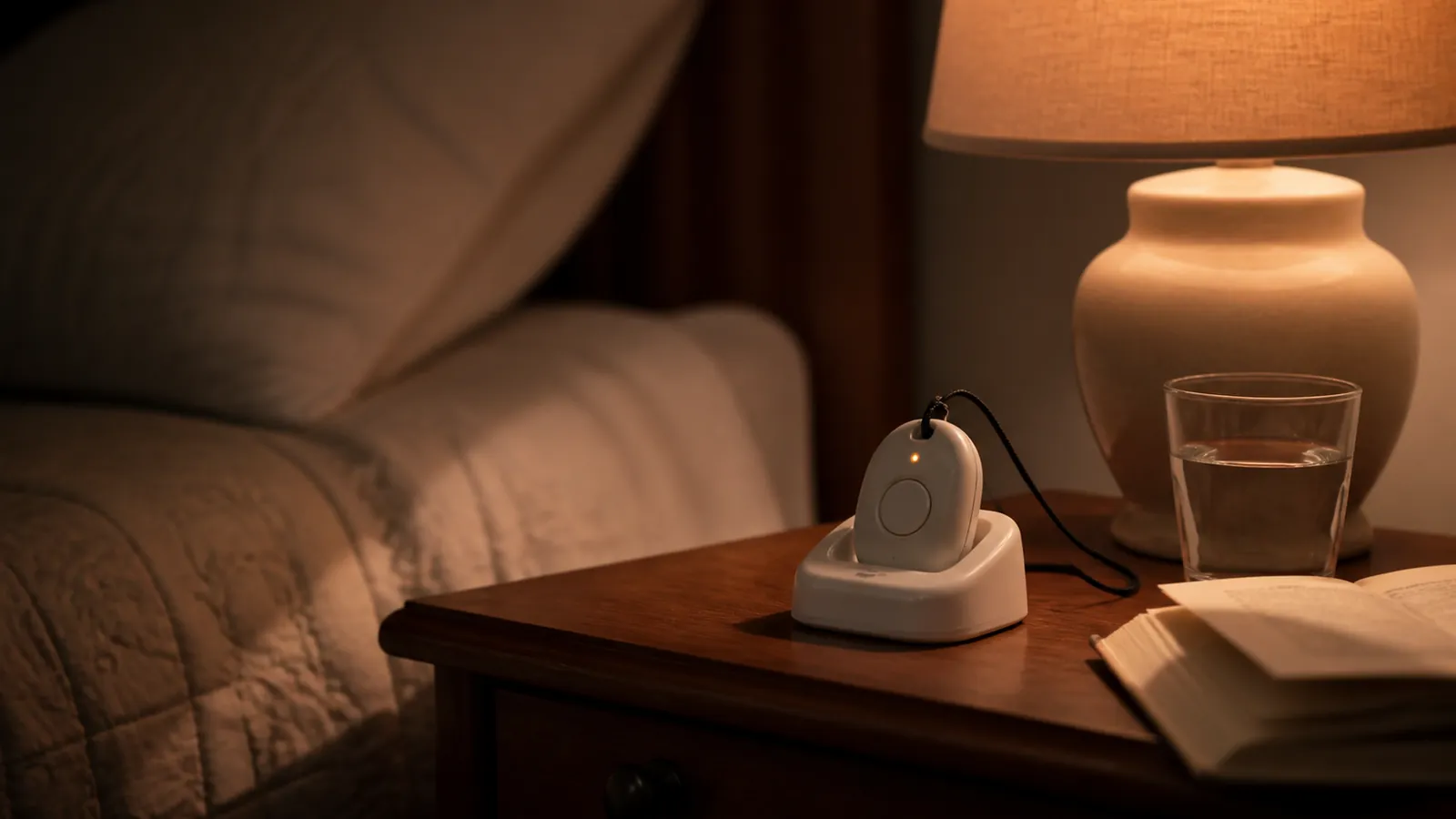
How this page is researched and kept current
This comparison was researched and written by the Aging Parent HQ editorial team. The evidence base is deliberately narrow: each company's own pricing pages, product pages, monitoring agreements, and legal terms, read in full and dated, plus official government sources for every benefit and consumer-protection claim. Third-party roundups and review sites were not used as evidence for any figure on this page. No company compared here reviewed or approved the page before publication.
Where a provider's marketing and its legal terms disagree, this page shows the disagreement and states which document governs rather than choosing the more attractive claim. Where a fee, trial window, or network could not be confirmed from an official source, the cell says so instead of carrying an estimate, and no worked total is built on a figure we could not verify.
Prices in this category change often, so the comparison is re-checked monthly and every change is recorded in the price and terms change log. Provider figures were last checked on July 19, 2026 and are next due on September 19, 2026; the government and consumer-protection sources were re-checked on August 1, 2026. If a figure no longer matches the provider's own page, email hello@agingparenthq.com and we will re-check it against the source before the page changes.
What this page is not: general information for families comparing options, not medical, legal, or financial advice, and not a recommendation of any provider. Clinical questions belong with your parent's clinician; contract questions belong in writing with the provider before you pay.
Sources and last verified date
Provider prices, fees, and contract terms last checked: July 19, 2026 · Next scheduled check: September 19, 2026
Government and consumer-protection sources last checked: August 1, 2026
- STEADI — Older Adult Fall Prevention — Centers for Disease Control and Prevention — the screen, assess, and intervene fall-risk framework families can ask a clinician for by name.
- FTC Issues Refunds in Lifewatch Medical Alert Telemarketing Case — Federal Trade Commission — telemarketing ban and consumer refunds in the deceptive "free" medical alert case.
- ReportFraud.ftc.gov — Federal Trade Commission — official route for reporting a deceptive sale or unwanted sales call.
- Eldercare Locator — Administration for Community Living — official path to local Area Agencies on Aging, Adult Protective Services, and free aging services.
- Veteran Directed Care — Administration for Community Living — eligibility, the flexible-budget model, and the local VA medical center decision behind program availability.
- Durable Medical Equipment (DME) Coverage — Medicare.gov — the Part B durable medical equipment criteria behind the coverage answer.
- Your Coverage Options — Medicare.gov — official statement that most Medicare Advantage plans offer extra benefits Original Medicare does not cover.
- Home & Community-Based Services 1915(c) — Medicaid.gov — the standard waiver service list, the "other services" states may propose, and state-by-state enrollment limits.
- Are You a Covered Entity? — Centers for Medicare & Medicaid Services — which organizations HIPAA actually reaches.
- Medical Alert Systems and Products — Medical Guardian — current lineup and published starting prices.
- MG Mini Mobile Medical Alert — Medical Guardian — MG Mini price, the AT&T-with-Wi-Fi-location-backup connection description, and the conflicting battery-life statements.
- Legal Policies — Medical Guardian — governing cancellation, return, refund, and restocking terms.
- Medical Alert System Pricing — Bay Alarm Medical — published plan prices and 15-day trial.
- Medical Alert Systems — Bay Alarm Medical — system lineup and representative product details.
- Classic Cellular In-Home Medical Alert System — MobileHelp — published home cellular plan price and marketed fee treatment.
- MobileHelp Home Page — MobileHelp — month-to-month and cancel-anytime marketing claims.
- Terms and Conditions — MobileHelp — 3-month minimum commitment and $50 restocking fee that conflict with marketing.
- Medical Alert FAQ — Lifeline — starting price, billing options, agreement, and cancellation process.
- HomeSafe Cellular — Lifeline — representative home cellular product.
- On the Go Mini — Lifeline — representative mobile product.
- Medical Alert Plan Comparison — Lively — Basic and Premium plan prices, paperless discount, and fall-detection fee.
- Activation Information — Lively — activation-fee treatment.
- Lively Mobile2 — Lively — device price, IPX7 rating, and fall-detection limitation wording.
- Home Health Terms and Conditions — ADT Health — plan-level monthly, activation, and fall-detection prices.
- GetSafe Pricing — GetSafe — regular equipment list prices, monitoring fee, fall add-on, and AT&T network.
- Voice-Activated Mini Console — GetSafe — voice-activation capability for a parent who resists wearables.
- Medical Care Alert Home Page — Medical Care Alert — current starting prices, lineup, and no-activation marketing.
- Monitoring Agreement — Medical Care Alert — month-to-month service and cancellation effective after equipment return.
- Shipping and Returns — Medical Care Alert — 14-day try period and return treatment.
- HOME & AWAY System With GPS — Medical Care Alert — mobile plan price, fall add-on, and battery claim.
- Senior Smart Watch With GPS Service Plan — Medical Care Alert — watch equipment and monthly price, fall add-on, and battery claim.
- Kanega Watch — UnaliWear — pricing, annual-prepay rate, included fall detection, swappable batteries, and the price-presentation conflict.
- Freedom Alert — LogicMark — one-time price, direct-call workflow, landline requirement, range, IPX5 rating, and base backup power.
- How Much Does Life Alert Cost? — Life Alert — official evidence that pricing requires a call and no numeric public rate is published.
- Life Alert Help Button — Life Alert — official product-level context for the quote checklist.
- Medical Guardian Acquires MobileHelp — Business Wire press release — official confirmation of the 2024 acquisition behind the MobileHelp ownership disclosure.
Last verified: August 1, 2026 (provider prices and terms July 19, 2026; MG Mini network description August 10, 2026)
Next review: September 19, 2026
Not sure what fits your situation?
Answer a few questions and get a shortlist matched to where you are right now.
Take the 2-minute questionnaireKeep reading
 Early Signs of Dementia in an Aging ParentLearn how concerning changes differ from normal aging, when sudden confusion needs urgent care, and how to prepare for a medical evaluation.
 OTC vs. Prescription Hearing Aids: How to ChooseCompare OTC and prescription hearing aids by eligibility, fitting, support, total cost and red flags, then choose the safer path for your parent.
 How to Talk to Aging Parents About HelpUse a respectful, step-by-step plan to talk with an aging parent about help, handle refusal or anger, and agree on the smallest safe next step.
 Aging in Place Checklist for an Older ParentUse this aging-in-place checklist to review home safety, daily needs, support options, and next steps that can help an older parent stay at home.