
Best Medical Alert Systems: Compare Costs & Features
Advertiser disclosure: Aging Parent HQ may earn a commission when you request a quote or sign up for a service through links on this site. It never costs you extra and never changes our recommendations — we suggest the smallest, cheapest change that solves the problem first, and plenty of what we recommend earns us nothing.
Short answer. There is no single best medical alert system for every parent. The best system is the one your parent agrees to wear, that works at their actual address and daily routine, and whose real costs and cancellation terms you have verified before paying. A medical alert system — sometimes called a personal emergency response system (PERS) — connects the person wearing it to help after something goes wrong. It does not prevent falls, diagnose a cause, or replace emergency services. Falls themselves can often be prevented through steps like exercise, medication review, and home changes, which the CDC's fall-prevention guidance describes and our guide to fall-prevention steps for an older parent walks through.
If your parent has fallen and may be injured, cannot get up, or has new weakness, fainting, confusion, severe pain, trouble breathing, or another urgent symptom, call 911 or seek urgent medical care now. Buying a medical alert system is not the immediate next step.
Published by Aging Parent HQ, an independent editorial site. How this page is funded: Aging Parent HQ is supported by advertising and, on some pages, disclosed referral links. No provider has paid for placement, ordering, or inclusion on this page, and compensation never determines what is included or how it is ranked. If a compensated link is added to this page, it will be disclosed here. We are not a home-care agency, a placement service, or an insurer, and this guide is general information, not medical, legal, or financial advice about your parent's situation.
The decision comes down to five things:
- Where your parent spends their time — home only, or out and about as well.
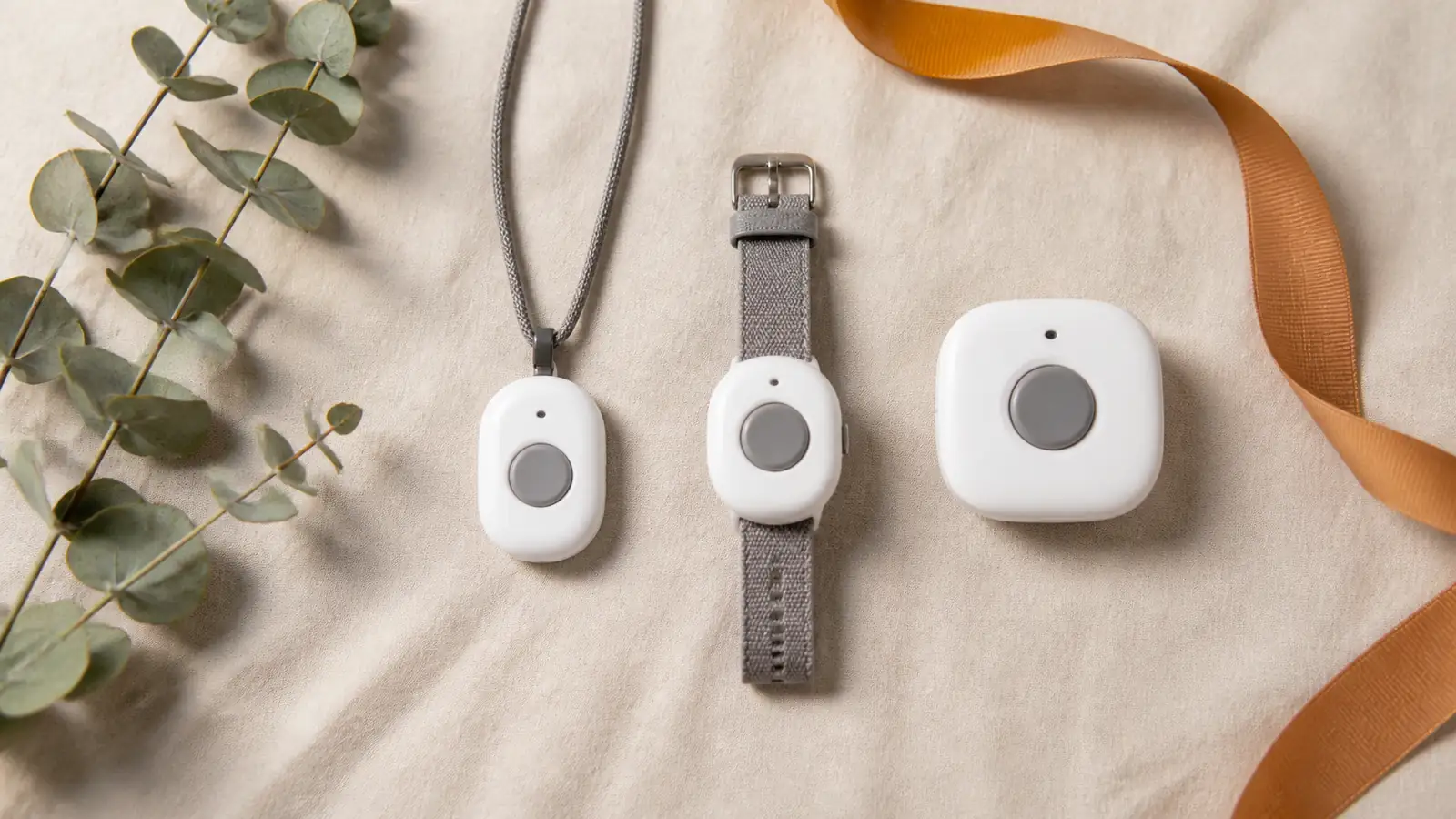
- What they will actually wear — pendant, wrist button, belt clip, or watch.
- Cellular or landline coverage at their address — not yours.
- How much charging and testing they can keep up with — daily, weekly, or none at all.
- The total first-year cost and exit terms — not the advertised monthly price.
Where your family should start depends on which of these is already settled:
- If your parent is home nearly all day — start with an at-home system. It is the smallest change, the lowest cost, and it removes the daily charging burden.
- If your parent regularly drives, walks, runs errands, or travels — choose a mobile GPS system, because help needs to go where they go.
- If your parent has not agreed to wear or use anything — choose neither yet. A respectful conversation comes before any purchase, and a device left in a drawer protects no one.
- If you are shopping because of a recent fall, new confusion or weakness, or growing trouble managing daily tasks — get a professional assessment first. And call 911 now if your parent has fallen and may be injured.
The smallest useful first step costs nothing: ask your parent what they would be comfortable wearing, then verify coverage and return terms for two finalists.
Terms used on this page. A personal emergency response system (PERS) is the industry and government name for a medical alert system. Professional monitoring means a staffed 24/7 center answers the button press; an auto-dial device calls a preset list instead, with no trained person in between. Fall detection is a paid sensor add-on that can place a call when the button is not pressed; no version detects every fall. Leased equipment stays the provider's property and must be shipped back to complete a cancellation; purchased equipment is yours, refundable only inside the return window. A restocking fee is an amount deducted from that refund. Landline here means traditional home phone service, which behaves differently from internet-based phone service.
On this page:
- Which medical alert system is best for your parent?
- How do the top medical alert systems compare?
- How did we choose these systems?
- What should you know about each provider?
- How do you choose the right system for your parent?
- What does a medical alert system really cost in the first year?
- How do you set up and test the system in the first week?
- What if a monitored medical alert system isn't the right fit yet?
- Frequently asked questions about medical alert systems
- Your next step
Which medical alert system is best for your parent?
Every pick below is a professionally monitored, equipment-plus-monitoring system: you buy or lease the provider's device and pay a monthly fee for its 24/7 monitoring center. Each pick is a fit judgment based on official documentation, not a claim of universal superiority — full pricing lives in the comparison tables below.
Best value for home use — Bay Alarm Medical (SOS Home). Best for a parent who lives alone, spends nearly all their time at home and in the yard, and wants a simple, low-cost setup with no charging routine. Why: plainly posted pricing, no activation fee, and a home console leased at no equipment charge. Choose it over LifeFone's at-home systems if the lowest posted price with no equipment fee matters most to you. One caution: the home system does not travel — it only covers the home and the button's range around it.
Best broad device range — Medical Guardian (MG Mini used for pricing). Best for a family that wants to match a specific form factor — home base station, small mobile pendant, lightweight wearable, or watch — from a single provider, because a parent who refuses one shape may accept another. Choose it over Lively if your parent cannot keep up with charging every day or two, or if the form factor is the thing standing between you and agreement. One caution: device and equipment fees are not fully displayed on the product pages, so budget shoppers should get the complete quote in writing before ordering.
Best lower-maintenance mobile option — LifeFone (VIPx2). Best for a parent who is regularly out and about but unlikely to keep up with frequent charging, and for families who value consumer-friendly policies such as no equipment fees and a 30-day money-back guarantee. Choose LifeFone's at-home systems over Bay Alarm's if you want that 30-day guarantee and pay-only-for-time-used cancellation rather than a 15-day window. Between LifeFone and Medical Guardian, whose mobile units start at the same $39.95 annual rate, LifeFone is the one to choose if you want no equipment fee and cheaper fall detection; Medical Guardian is the one to choose if the form factor your parent will accept is the deciding question.
Best simple retail mobile option — Lively (Mobile2). Best for a family that wants a straightforward, plainly priced mobile device from a retail brand (Lively is part of Best Buy Health), with no long-term contract and no cancellation fees. Choose it over Medical Guardian if you want every cost visible before you order and someone in the household can absorb charging the device every day or two.
How do the top medical alert systems compare?
Prices and terms below were checked on July 29, 2026, on each provider's official pricing, product, and policy pages; device specifications and connection details were rechecked on August 10, 2026. We review them monthly. Promotions, taxes, shipping, and billing-cycle discounts change often — reverify at checkout. Because each provider sells several devices at different prices, every row names the specific system used for the comparison.
Costs, billing, and exit terms
| Provider (system priced) | Baseline monitoring | Equipment and activation | Fall detection add-on | Trial, returns, and cancellation |
|---|---|---|---|---|
| Bay Alarm Medical — SOS Home | $27.95/mo landline; $34.95/mo cellular. Monthly, quarterly, or annual billing | No activation fee; home console leased at no charge and returned on cancellation | Cellular-with-fall-detection package is $44.95/mo and adds a fall-detection wearable with a $30 device fee | 15-day trial from arrival (refund less shipping); cancel anytime with unused prepaid months refunded less shipping and any free-month promotion conditions |
| Medical Guardian — MG Mini | From $39.95/mo on annual billing for new customers; monthly-billing rate not shown on the product page | Device and equipment fees not displayed on the product page — confirm the full total at checkout | +$10/mo | Cancel by phone; leased equipment must be returned and cancellation takes effect when it is received; prorated refund of prepaid service; restocking fees may apply, and promotional discounts are forfeited if the order changes within 12 months |
| LifeFone — VIPx2 | From $39.95/mo on the annual plan; lower-priced at-home systems also available | No activation or equipment fees | +$5/mo (may reduce battery life; uses LifeFone's Verizon service) | 30-day money-back guarantee; cancel anytime and pay only for time used; lifetime subscriber price and equipment guarantee |
| Lively — Mobile2 | $24.99/mo Basic or $34.99/mo Premium, shown with a $5/mo paperless-billing discount, plus taxes and fees | $79.99 device; a one-time activation fee of up to $35 may apply | +$9.99/mo | 30-day returns with refund of device, activation, and first month, less a restocking fee, if returned like-new; no long-term contract; no cancellation fees |
| What these figures are not | Not a first-year total — see the cost stack below | Not the checkout total: taxes, regulatory surcharges, and shipping are extra | Not automatic — fall detection is a paid add-on on every system here | Not a price guarantee — promotions and rates change between reviews |
Device fit and features
| Provider (system priced) | Connection | Battery or range | Caregiver features | Key limitation |
|---|---|---|---|---|
| Bay Alarm Medical — SOS Home | Landline or LTE cellular; verify signal at your parent's address | Plug-in base console with wearable button; Bay Alarm advises testing the button's range room by room during the trial | Caregiver tracking app included with Bay Alarm's mobile systems, not the basic home package | Covers the home and button range only; device promotions change frequently |
| Medical Guardian — MG Mini | The MGMini product page describes AT&T connectivity with Wi-Fi location backup (checked August 10, 2026); Medical Guardian's pages name different carriers across its lineup, so confirm in writing which carrier serves your parent's address | Provider's own pages disagree: the MGMini product page states up to 3 days, while the MGMini support page states up to 5 days (both checked August 10, 2026). Plan on 3 days and ask for the current specification in writing | MyGuardian online portal and app | Full device pricing requires a checkout quote; the published battery figure is unresolved |
| LifeFone — VIPx2 | Verizon or AT&T LTE (LifeFone's service, not yours) | Provider's own product page states both up to 18 days and up to 10 days for this device on the same page (checked August 10, 2026). Plan on 10 days, ask for the current specification in writing, and expect fall detection to shorten it | Optional caregiver app, +$8/mo | Conflicting battery specifications on the provider's own page |
| Lively — Mobile2 | Nationwide cellular (carrier not named on the product page); check Lively's coverage map | Up to 40 hours per charge | Lively Link family-alerts app included | Needs charging roughly every day or two; fall detection works only when worn on the included lanyard |
Three patterns in these tables matter more than any single number. First, a "from" price almost always means annual prepay: Medical Guardian's and LifeFone's lowest advertised rates apply on annual billing, so the month-to-month figure you would actually pay without prepaying can be higher — ask for it explicitly. Second, notice who owns the hardware: leased equipment costs nothing up front but must be shipped back before a cancellation is complete, while purchased equipment — Lively's device is $79.99, and Medical Guardian's fee is not published online — is yours to keep or return within the window. Third, the limitations column is where the marketing pages go quiet: contradictory battery specs, undisclosed device fees, and wearing requirements for fall detection are exactly the items to raise on the sales call.
One habit is worth building before you compare anything else. If another comparison page shows a different monthly price than the one here, open the provider's own pricing page and check it against both. Where a roundup's number and a provider's posted price disagree, the provider's page governs, and the roundup figure is usually a promotion or a stale entry.
Whether your parent needs a home-based or mobile system is its own decision; our guide to home vs. mobile medical alert systems explains the system types in depth.
What changed since our last review
We publish every change we find between reviews, including changes that make an option look better and findings that make our own earlier wording wrong.
| Review date | What we found | What changed on this page |
|---|---|---|
| August 10, 2026 | Medical Guardian's MGMini product page states a battery life of up to 3 days; its own MGMini support page states up to 5 days | Both figures now appear in the comparison table, with 3 days named as the planning number |
| August 10, 2026 | LifeFone's VIPx2 product page states both "up to 18 days" and "up to 10 days" for the same device, in different places on the same page | Both figures now appear in the comparison table, with 10 days named as the planning number |
| August 10, 2026 | Medical Guardian's MGMini product page describes AT&T connectivity with Wi-Fi location backup; we could not confirm a dual-carrier connection for this device from the provider's own pages | We removed the dual-network description from the verdict picks, the comparison table, and the coverage step, and replaced it with an instruction to confirm the carrier in writing |
| August 10, 2026 | Every state's approved and terminated Medicaid waivers, and the services each one names, are published per state on Medicaid.gov | We replaced our federal Medicaid link and added a per-state table showing what each of ten states' waivers actually name |
| July 29, 2026 | Prices, fees, billing cycles, trial windows, and cancellation terms verified on all four providers' own pages | These are the figures in the tables above; the next price and terms re-check is due on or before August 29, 2026 |
How did we choose these systems?
To be ranked on this page, a provider had to pass five gates: it is currently sold in the U.S. with 24/7 professional monitoring; its pricing and major terms are publicly documented on its own official pages; its trial, return, and cancellation terms are publicly documented; it serves a distinct reader situation that another ranked option does not already cover; and its documentation is complete enough for us to name at least one material limitation.
How we verify prices and terms
Our evidence comes from each provider's current product, pricing, and policy pages, accessed on the dates shown. We preserve providers' "up to" qualifiers on battery and range claims rather than treating them as real-world performance, and where a provider's own pages contradict each other we publish both figures rather than picking the flattering one. Aging Parent HQ reviewed documentation only: we did not conduct hands-on response-time, signal-strength, or durability testing for this article, and we do not rank response times, because providers' advertised figures are not measured by any standardized method we could compare. We use no scoring model or star ratings — each label is a fit judgment matching documented characteristics to a reader situation, with no numeric weights. Prospective advertising or referral relationships are not an inclusion or ranking input, and no partnership with any provider on this page is confirmed.
Two limits are worth stating plainly. Monitoring-center certification is not a field in our tables. All four ranked providers advertise 24/7 U.S.-based monitoring, but we could not verify each provider's certification status to our own standard: the industry designation most often cited in marketing is the Five Diamond program run by The Monitoring Association, whose public list of approved companies is organized by the monitoring center's own corporate name, which frequently differs from the consumer brand — and which, when we checked it on August 2, 2026, returned too few entries to treat an absence as meaningful. Note also that two different things get called "certified" in this category: the monitoring center itself, through a program like Five Diamond or a UL listing, and the individual operators, through emergency-dispatch training credentials. So we ask you to request both in writing instead, and we tell you where to check the center yourself, rather than repeating a claim we have not confirmed.
What this page does not cover. It compares professionally monitored systems on cost, terms, and fit. It does not cover wandering-specific location tools for a parent living with dementia, and it does not rank devices on speaker volume, button force, or hearing-aid compatibility, because providers do not publish those specifications in any comparable form — those are things to test during the return window. If cognition or communication is the central question rather than the device, start with the early signs of dementia or the signs your parent may need more support, and raise it with their doctor before comparing products.
Which systems we considered but did not include
MobileHelp has been owned by Medical Guardian since 2024, per the company's acquisition announcement; we treat the two brands as one corporate family rather than independent alternatives, and MobileHelp's current return-policy terms were not fully documented in the materials we reviewed as of July 29, 2026. Life Alert is excluded because current public pricing, contract, trial/return, and cancellation documentation could not be verified in the materials we reviewed as of July 29, 2026. If you are weighing Life Alert anyway, ask for the contract length, the total cost across that full term, and the cancellation conditions in writing before signing — the terms we could not verify are exactly the terms that decide what it costs you. ADT Medical Alert, LifeStation, and other established providers have not yet been put through this same same-date documentation review; they may be added in a future update.
What should you know about each provider?
Each profile below adds what the tables cannot: who should shortlist the provider, who should skip it, and exactly what to confirm before you pay. Prices referenced were checked July 29, 2026; device specifications were rechecked August 10, 2026. A note on how to use these: the fit labels turn on your parent's routine, not on any provider being objectively superior. A family whose parent never leaves the house has little reason to pay mobile-system prices, and a family whose parent walks two miles a day should not talk themselves into a home console because it is cheaper. Read your parent's situation first, then the matching profile.
Bay Alarm Medical: best for a parent who is home most of the day
Shortlist it if your parent is home most of the day and you want the lowest-friction entry point: posted pricing, no activation fee, and no equipment charge on the leased home console. Skip it if your parent is regularly away from home — the SOS Home system stays put, and Bay Alarm's mobile devices carry one-time device fees. Before you sign or pay, confirm: the exact checkout total including any device fee, shipping, and taxes; who pays return shipping if you cancel in the 15-day window; and whether landline service at your parent's home is compatible, or cellular signal is strong, at their actual address. Revisit the decision if your parent starts leaving the house regularly, or if the button stops reaching the yard, the basement, or the far bedroom.
Medical Guardian: best when wearability decides
Wearability is the reason to shortlist Medical Guardian: the lineup spans home base stations, the small MG Mini pendant, a lighter wearable, and a smartwatch, so a parent who refuses one form factor may accept another. Skip it if you need every cost visible online before talking to anyone, or if you need a settled battery figure today — the product page and the support page do not agree. Before you sign or pay, confirm: the complete first-year total in writing, including the device fee and any cancellation fee; the current MG Mini battery specification and which cellular carrier the device uses at your parent's address; and whether the equipment is leased or purchased, since return and refund rules differ. Revisit the decision at the anniversary date, when the promotional rate ends and the standard rate takes over.
LifeFone: best when a daily charging routine is unrealistic
Shortlist it if your parent is active but a daily charging routine is unrealistic, or if flexible exit terms matter most — no equipment fees, a 30-day money-back guarantee, and pay-only-for-time-used cancellation are unusually consumer-friendly, and fall detection at $5/mo is the lowest among the four. Skip it if you need a firm battery number today, because LifeFone's own product page currently states both "up to 18 days" and "up to 10 days" for the VIPx2. Before you sign or pay, confirm: the current battery specification in writing; whether the quoted rate is the annual, quarterly, or monthly price and how a mid-term refund is calculated; and how adding fall detection changes battery life. Revisit the decision if charges are being missed, or if fall detection has dropped the real-world battery interval below what your parent's routine can absorb.
Lively: best for a simple retail device
A simple, widely available retail device with plainly listed plans and no cancellation fees is the case for Lively, and it is stronger still if your family already uses Lively phones. Skip it if your parent is unlikely to charge a device every day or two, or will not wear the lanyard — fall detection does not work on the belt clip. Before you sign or pay, confirm: whether the $35 activation fee applies to your order; the monthly total after taxes, fees, and the paperless-billing assumption; and the restocking fee amount you would owe on a 30-day return. Revisit the decision if the device is going flat between charges, or if the lanyard is not being worn.
How do you choose the right system for your parent?
Work through these steps in order — the early steps eliminate more options than any feature list.
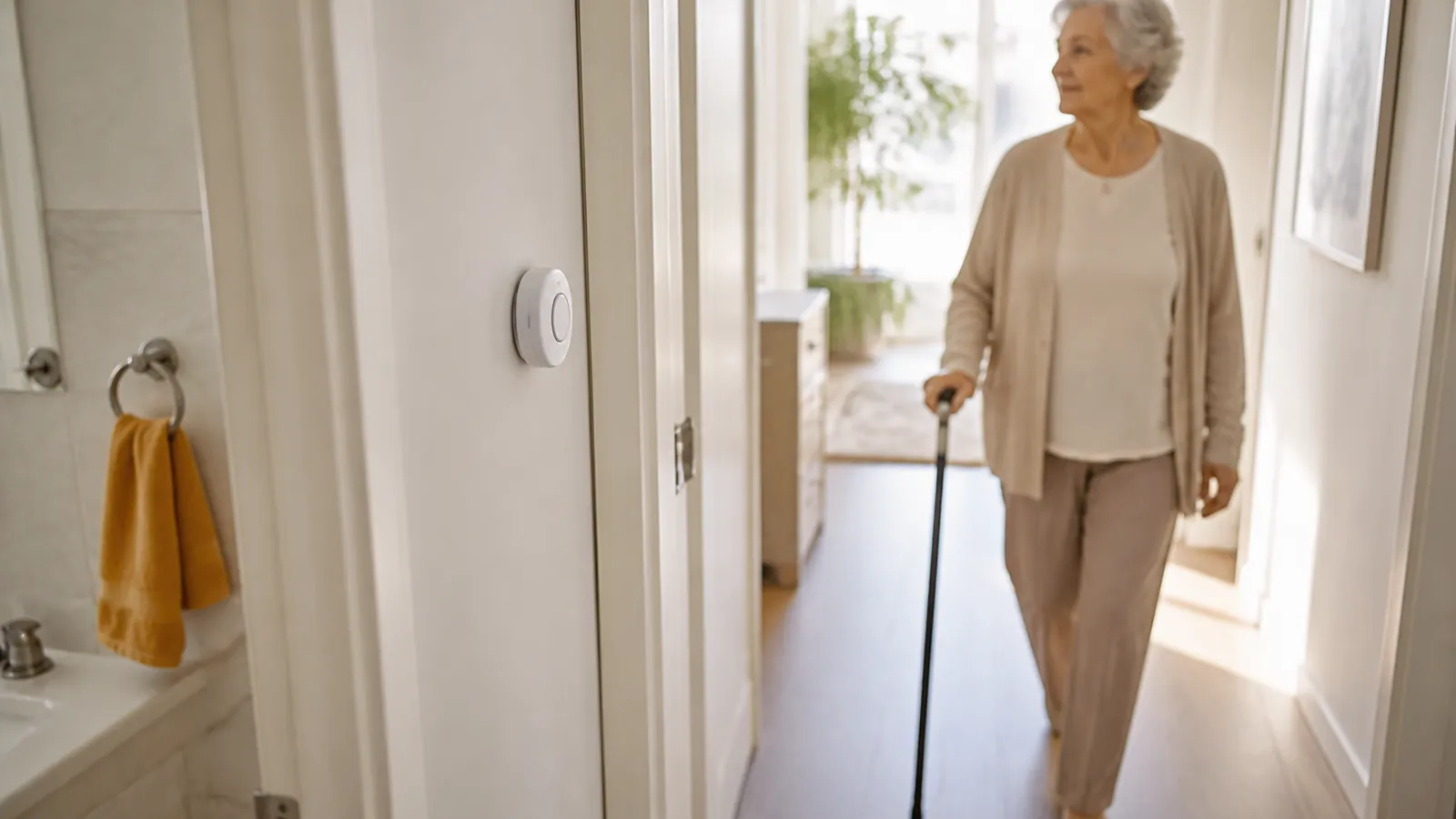
- Start with consent and wearability. Ask your parent what they would actually wear all day, including in the shower where appropriate — pendant, wrist button, belt clip, or watch. Treat "I won't wear that" as a disqualifier, not a negotiation to win. If the conversation itself is the hard part, our guide on how to talk about a medical alert without taking over can help you approach it as their decision, supported by you.
- Map where help needs to reach. Walk through a normal week with your parent: home only? Home plus yard, garden, and mailbox? Errands, appointments, walks, driving, visits out of town? A home system is simpler and cheaper but stops at the button's range from the base; a mobile GPS system follows your parent anywhere with cellular signal. If the honest answer is "mostly home, but a weekly grocery run," a home system plus a phone they reliably carry may cover the gap — or a mobile unit may be worth the extra cost for the errands alone. Let the real week, not the worst-case imagination, decide.
- Verify coverage at your parent's address — not yours. It is surprisingly easy to run a ZIP-code check from your own home two states away; use their street address instead, and check the places they go often. If the home has thick walls, a metal roof, a basement laundry, or historically weak signal, ask the provider which carrier its device uses, get that answer in writing, and ask how to test dead spots during the trial window — carrier descriptions vary between a provider's own pages, so a verbal assurance is not enough. Where cellular is genuinely weak, a landline-based home system such as Bay Alarm's SOS Home avoids the question altogether; for landline units, confirm the phone service type is compatible, since some internet-based phone lines behave differently from traditional copper lines.
- Match charging and testing to their real routine. A plug-in home console asks almost nothing beyond staying plugged in. A mobile pendant with a multi-day battery needs a weekly-ish habit. A 40-hour battery needs daily attention. Be honest about who will actually do the charging — your parent, or a caregiver who visits — and about whether reminders will land: several providers send low-battery texts or emails to family, which is worth enabling on day one.
- Decide who should answer. Monitoring centers can dispatch emergency services or call your family first, based on the instructions on file — and those instructions are your parent's to set. Agree together on the order of contacts, whether a lockbox code should be on file so responders do not force a door, and whether a caregiver app or location sharing is genuinely wanted. Location features are optional and should be something your parent understands and agrees to, not something done to them; for some parents, "the center calls my daughter first" is the whole point, and for others it is a dealbreaker.
- Calculate the first-year cost and read the exit terms using the formula and checklist in the next section. Compare return windows, equipment ownership, and cancellation steps side by side, not just monthly prices.
- Order from two finalists only after your parent agrees, and use the trial or return window as a real test period: voice clarity from across the room, range or coverage in the actual house, the fall-detection wearing method, and a dry run of the contact workflow so everyone knows what a real call sounds like. Ordering from one finalist with the other as a named backup keeps the decision low-stakes — if the first fails the week's tests, return it and try the second.
Who holds the account, and what to do if your family disagrees
Buying a device requires no legal authority: you do not need power of attorney to order one, pay for it, or set it up. What the account holder controls is everything afterwards — the registered address, the order of emergency contacts, who receives caregiver alerts, and who can cancel. Decide that deliberately rather than by whoever happened to enter the credit card. If your parent is managing their own affairs, the cleanest arrangement is the account in their name with you listed as a contact, and confirmation in writing that they can change their own contact list without going through you.
Where families most often disagree is location sharing and who gets called first. If your parent is making their own decisions, their stated preference governs — that is not a tie to be broken by however many siblings are on the call. The practical move is to get the preference recorded in the account on setup day, so it does not get relitigated by phone every few months. The second most common disagreement is money, because this is a recurring bill — roughly $335 to $635 in the first year on the systems compared here — rather than a one-time purchase: settle who pays it, and whether siblings are splitting it, before the first renewal rather than after. And if you live out of state, ship to your parent's address, register their address rather than yours, and plan to be on the phone with them for the first test call.
Match your parent's situation to a starting point
| Your parent's situation | Start with | Shortlist to evaluate |
|---|---|---|
| Lives alone; home nearly all day; wants the simplest, lowest-cost option | An at-home system | Bay Alarm SOS Home; LifeFone's at-home systems |
| Regularly out — errands, walks, driving, travel | A mobile GPS system | LifeFone VIPx2; Medical Guardian MG Mini; Lively Mobile2 |
| Cellular signal is weak or patchy at their address | A coverage check before any purchase, and the device's carrier confirmed in writing | Bay Alarm SOS Home landline version; then any cellular option whose carrier you have confirmed reaches their address |
| Cost is the binding constraint | Official and free routes first, then monthly billing rather than annual prepay | Ask the Area Agency on Aging and the state Medicaid agency before shortlisting anything |
| You live out of state and no one is local | Either system type, with the account set up deliberately | Any of the four — decide the account holder and contact order first |
| Has not agreed to wear or use anything | A conversation, not a purchase | Revisit the shortlist after your parent weighs in |
| Shopping after a recent fall, new symptoms, or growing trouble managing devices or daily tasks | A visit with their doctor or a professional assessment | Bring the assessment's findings back to this page afterward |
What does a medical alert system really cost in the first year?
The advertised monthly price is a starting point, not the total. Every quote on this page was normalized the same way, using one formula.
The Medical Alert First-Year Cost Stack
First-year cost = (monthly monitoring × 12) + device or equipment fee + activation fee + (fall-detection add-on × 12) + (caregiver-app add-on × 12) + shipping + taxes and fees − any verified billing-cycle discount.
Do not extend a promotional price across the full year unless the provider states in writing that it lasts that long. Three worked examples, using official prices checked July 29, 2026, before taxes, fees, and shipping:
| Cost stack line | Low: Bay Alarm SOS Home, landline, no add-ons | Base: Lively Mobile2, Basic plan with fall detection | High: LifeFone VIPx2, annual plan with fall detection and caregiver app |
|---|---|---|---|
| Monthly monitoring × 12 | $335.40 ($27.95 × 12) | $299.88 ($24.99 × 12) | $479.40 ($39.95 × 12) |
| Device or equipment fee | $0 (console leased) | $79.99 | $0 (no equipment fee) |
| Activation fee | $0 | up to $35.00 | $0 |
| Fall detection × 12 | not added | $119.88 ($9.99 × 12) | $60.00 ($5 × 12) |
| Caregiver app × 12 | not offered on this package | included with the plan | $96.00 ($8 × 12) |
| Shipping, taxes, and fees | extra | extra | extra |
| First-year total | $335.40 | up to $534.75 | $635.40 |
The line that drives the gap is not the monitoring rate. These three first-year totals differ by exactly $300, while their headline monthly prices differ by about $15 — and the lowest advertised monthly price on this page, Lively's $24.99, does not produce the lowest first year. What separates the columns is whether fall detection and a caregiver app are bundled or billed separately, and whether the hardware is leased at no charge or purchased outright.
Two things the stack deliberately leaves out: taxes and regulatory surcharges, which vary by state and are added at checkout, and any promotional discount, which we exclude from baseline figures because promotions were displayed as time-limited when we checked.
Billing cycle, equipment ownership, and exit terms
The billing cycle deserves a deliberate choice, not a default. Annual prepay usually buys the lowest advertised monthly rate — it is why "from" prices look so good — but it means fronting several hundred dollars, and getting money back mid-year depends entirely on the refund rules. Monthly billing costs a few dollars more per month and keeps your commitment small while you learn whether your parent will actually wear the device; quarterly sits in between. A reasonable pattern is monthly billing through the first cycle or two, then switching to annual once the system has earned its place — but confirm first that switching later does not forfeit a promotion, as Medical Guardian's 12-month rule shows it can.
| Provider | Billing options | How a mid-term refund works | Promotion or clawback risk |
|---|---|---|---|
| Bay Alarm Medical | Monthly, quarterly, or annual | Unused prepaid months refunded, less shipping | Free-month promotion conditions can apply on cancellation |
| Medical Guardian | Annual billing carries the advertised "from" rate; monthly rate not published | Prorated refund of prepaid service, and restocking fees may apply | Promotional discounts are forfeited if the order changes within 12 months |
| LifeFone | Monthly, quarterly, or annual | Pay only for time used | Lifetime subscriber price and equipment guarantee advertised |
| Lively | Monthly, with a paperless-billing discount | 30-day return refunds device, activation, and first month, less a restocking fee | No long-term contract and no cancellation fees |
Two policy details change what you actually pay on the way out. First, equipment ownership: leased equipment (like Bay Alarm's home console, or Medical Guardian's leased units) must be shipped back before cancellation is complete, while purchased equipment (like Lively's $79.99 device) is yours, refundable only within the return window and usually less a restocking fee. Second, the cancellation workflow: Medical Guardian's policy, for example, requires a phone call and makes cancellation of leased equipment effective when the returned equipment is received. "No long-term contract" never means "no cancellation steps or costs" — it means you are not locked in for years, but return shipping, restocking, timing rules, and promotion clawbacks can still apply.
Before you pay any provider, get written answers to these questions: When exactly does the trial or return clock start — at order, shipment, or arrival? Who pays return shipping, and is there a restocking fee? Which equipment must come back, and in what condition? How is a refund of prepaid quarterly or annual service calculated? Does the monthly rate ever rise, and is it guaranteed in writing? Are there activation, shipping, or regulatory fees on top of the advertised price? And can you have the monitoring center's current certificate — UL listing or TMA Five Diamond — in writing, naming the monitoring center by its own corporate name so you can look it up yourself, along with confirmation of what emergency-dispatch training its operators hold?
How do you set up and test the system in the first week?
The trial or return window is your real evaluation period. Put the return deadline on your calendar the day the box arrives, then work through this checklist during the first seven days:
- Activate, register, and check the address on file. Complete the provider's activation and fill in your parent's address, medical notes, entry instructions (such as a lockbox code), and emergency contacts in the order your parent chose. Monitoring centers dispatch to the registered address for home systems — a typo matters.
- Set up wearing and placement together. Let your parent choose neck, wrist, or clip where options exist, and place a home base station centrally where the speaker can be heard. If they will shower with it, confirm from the manual that the specific device is rated for that.
- Make a real test call. Press the button, tell the operator it is a test, and let your parent do the talking so they hear the speaker volume and experience the response themselves. A parent who has heard one calm test call is far less likely to hesitate during a real one — and far less likely to fear "bothering someone" by pressing the button.
- Walk the range or coverage. For home systems, test the button from the far bedroom, bathroom, basement, and yard. For mobile systems, test from the places your parent actually goes.
- Test the fall-detection wearing method. If you added fall detection, confirm your parent is wearing it the way the manual requires — on the Lively Mobile2, for example, that means the included lanyard — and remind them the button still comes first: press it in any emergency when able.
- Set up charging and caregiver notifications. Put the cradle somewhere in the daily path — nightstand or kitchen counter — and agree on when charging happens. Time one full charge cycle yourself during the trial week, because published battery figures are "up to" numbers and, on two of the systems here, the provider's own pages disagree about them. Install any included family app, confirm alerts arrive, and review with your parent exactly what it shares.
- Set a monthly test habit, and decide before the deadline. Pick a recurring day — the first Sunday, say — for a quick test call and a battery check. If range, volume, coverage, or comfort failed the week's tests, use the return window and try the other finalist rather than settling.
While you are setting up, it is worth doing a broader safety pass of the home; our aging-in-place home safety checklist covers it room by room.
What if a monitored medical alert system isn't the right fit yet?
A medical alert is one layer, not a plan. It responds after a problem; it does not replace home modifications, a strength and balance assessment, a medication review, or the other fall-prevention work your parent's clinician can guide. An occupational therapist is the professional who usually carries out a home safety assessment, and your parent's doctor can make that referral.
If your parent cannot reliably charge, wear, hear, or operate a system, that is important information rather than a failure — it may mean this tool alone is not enough support right now. Raise it with their doctor, and see our guide to the signs your parent may need more support for how to think about next steps without jumping to conclusions.
What if your parent won't wear it?
Start with the conversation, not the checkout page. A system your parent resents or refuses to wear provides no protection and can damage trust. Revisit step one of the decision framework above, give them real control over the choice — including which form factor, and whether location sharing is part of it — and be open to "not yet." A parent who agrees to a device six months from now, on their own terms, is a better outcome than a device bought today and left in a drawer.
What about medical alert systems with no monthly fee?
If your family is considering a no-monthly-fee device or a consumer wearable, the critical question is who answers. These products are not equivalent to 24/7 professional monitoring, and their behavior varies: some dial a list of family contacts, some can reach 911 directly, and some require a paired smartphone nearby. Verify, from the product's official documentation, who receives the alert, whether a phone is required, how the battery is maintained, and — most importantly — what happens when the first contact does not answer.
Who answers when the button is pressed?
| Option type | Who answers | Cost basis | What that changes for your family |
|---|---|---|---|
| Professionally monitored system (equipment-plus-monitoring vendor — every ranked pick above) | The provider's 24/7 monitoring center, which can dispatch responders and notify family | Monthly monitoring fee, plus equipment or activation where it applies — $24.99 to $39.95 a month in baseline monitoring across the four systems compared on this page | A monthly fee buys a trained person who always answers and follows your parent's care instructions |
| No-monthly-fee auto-dial device | A preset list of family numbers, or 911 directly, depending on the model | One-time device purchase with no monitoring subscription; confirm whether the model needs its own cellular service | No monthly cost, but no trained intermediary — help depends on someone picking up, or every press becomes a 911 call |
| Consumer smartwatch with emergency features | Typically emergency services and designated contacts, per the manufacturer's emergency workflow | Device purchase, plus a cellular plan if it is used away from a paired phone | Familiar to wear, but requires daily charging, setup, and often a paired phone or cellular plan |
| Smart-speaker voice calling | Whoever the speaker is configured to call | Device purchase; calling features and any subscription vary by service | Useful backup layer at home only — it cannot help in the yard, in the shower beyond voice range, or away from home |
Before relying on any alternative, verify its answer chain in writing from the manufacturer's own documentation — never from a retail listing.
If cost is the barrier
Ask before assuming full retail price is the only path. Take these in order, official and free first.
- Your parent's Area Agency on Aging. Ask whether any subsidized or reduced-cost personal emergency response program operates locally. Find the right one through the Eldercare Locator, the Administration for Community Living's public referral service, at 1-800-677-1116. Search by your parent's county, not yours — program routing follows where they live.
- Medicaid home- and community-based services waivers. Many state waivers cover this service, but not all of them, and the ones that do are not always the waiver for older adults. Check what your parent's state actually names, using the table below and the federal State Waivers List, then confirm with their state Medicaid agency.
- If your parent is a veteran enrolled in VA health care. Ask their VA social worker about Veteran-Directed Care, which gives eligible veterans a flexible, VA-approved budget for home and community services and goods that support living at home. Whether any specific device qualifies is decided in the veteran's own care plan, not in advance.
- The billing cycle itself. Monthly billing costs a few dollars more per month but keeps the amount at risk small while you find out whether the device will actually be worn.
For the wider funding picture, see how to pay for senior care.
Does your state's Medicaid waiver cover a medical alert?
Medicaid coverage of a personal emergency response system is decided state by state, inside a specific waiver, and the answer is often not what families assume. Three things are worth knowing before you call anyone.
First, the service goes by different names — "personal emergency response system," "personal emergency response services," "emergency home response services," "emergency response system" — so a search for one phrase can miss a waiver that covers it. Second, a state having the service somewhere does not mean the waiver your parent would actually join covers it; California is the clearest example. Third, four states do not deliver home and community-based services through 1915(c) waivers at all: as of a March 2025 Congressional Research Service review of the federal waiver list, those were Arizona, New Jersey, Rhode Island, and Vermont, which use other Medicaid authorities instead.
The table below covers ten states. It records only what each state's own federal waiver factsheet named when we checked it on August 10, 2026 — it is not an eligibility determination, and waiver enrollment usually carries its own income, asset, level-of-care, and waiting-list rules that only the state agency can apply to your parent.
| State | What the state's federal waiver factsheet named on August 10, 2026 | Where to start |
|---|---|---|
| California | Named in the Home and Community Based Alternatives Waiver and in two developmental-disability waivers, but not in the Multipurpose Senior Services Program, the state's waiver for people 60 and over | California waiver factsheet, then the state Medicaid agency |
| Florida | Named as "personal emergency response system" in the Long-Term Care waiver serving people 65 and over | Florida waiver factsheet |
| Illinois | Named as "emergency home response services" in the Persons who are Elderly waiver, the state's Community Care Program | Illinois waiver factsheet |
| Michigan | Named as "personal emergency response system" in the waiver serving people 65 and over and adults 21–64 with physical disabilities, known as MI Choice | Michigan waiver factsheet |
| North Carolina | Named as "personal emergency response services" in CAP/DA, serving people 65 and over and adults 18–64 with physical disabilities | North Carolina waiver factsheet |
| Ohio | Named as "personal emergency response system" in the waiver serving people 65 and over and adults 60–64 with physical disabilities, known as PASSPORT | Ohio waiver factsheet |
| Pennsylvania | Named as "personal emergency response system" in the Community HealthChoices waiver serving people 65 and over | Pennsylvania waiver factsheet |
| New York | Not named in any active 1915(c) waiver on the factsheet; the Nursing Home Transition and Diversion waiver for people 65 and over names assistive technology instead | New York waiver factsheet, then ask the state Medicaid agency or the managed long-term care plan |
| Texas | Not named in any active 1915(c) waiver on the factsheet; the older waivers that listed emergency response services have been terminated, and home care for older adults runs through STAR+PLUS managed care | Texas waiver factsheet, then ask Texas Health and Human Services |
| Arizona | No 1915(c) waiver exists; home and community services are delivered through the Arizona Long Term Care System under the state's 1115 demonstration | AHCCCS federal waiver page, then ask ALTCS |
Every other state and the District of Columbia. We have not yet run this same-date check outside the ten states above, and we will not guess. Open the federal State Waivers List, select your parent's state to open its waiver factsheet, and read the service list for the waiver that matches their age and situation, watching for all four names the service travels under. Then call your parent's state Medicaid agency to confirm coverage, eligibility, and whether there is a waiting list — and call their Area Agency on Aging in the same week, because some counties run a subsidized program that does not depend on Medicaid at all.
Two patterns to watch for before you buy
Unsolicited "free" medical alert offers. Calls, texts, and mailers offering a free medical alert device — often claiming a relative bought it for you, or that you qualify for an upgrade — are a documented fraud pattern aimed squarely at this purchase. The Federal Trade Commission and Florida's attorney general sued one operation that had been sending millions of unsolicited robocalls, many to numbers on the Do Not Call Registry and using spoofed caller ID. No legitimate provider needs a Medicare number, bank account, or card details from an inbound call to ship a device. If money or account details have already been handed over, the Justice Department's Elder Justice Initiative runs the National Elder Fraud Hotline at 833-372-8311 and lists how to reach Adult Protective Services in your parent's state. If your parent has been receiving these calls but nothing has been lost, our guide to protecting a parent from elder fraud covers what to do next.
How comparison pages get paid. Many "best medical alert" roundups earn a fee when a reader clicks or calls through to a provider, and some order their rankings accordingly. You can test any page in about a minute: check whether it discloses how it is paid, whether it names a disqualifier for every option it lists, and whether its prices match the provider's own posted pricing page. Ours is stated in full under how we verify prices and terms.
Frequently asked questions about medical alert systems
Is automatic fall detection worth paying for, and what can it miss?
It adds $5–$10 per month on the systems above — plus a $30 wearable device fee on Bay Alarm's fall-detection package — and it can summon help when your parent cannot press the button. But no fall-detection system detects every fall, false alarms happen, and providers themselves instruct users to press the button whenever able. Wearing method matters: some devices require a specific lanyard position to detect falls, and adding the feature can shorten battery life. It is most worth considering for a parent at higher fall risk who will wear the device as directed.
Does Medicare or Medicaid pay for a medical alert system?
Do not assume coverage. Original Medicare does not pay for one. Part B covers durable medical equipment prescribed for use at home, and CMS's durable medical equipment reference list denies coverage for telephone alert systems specifically, on the ground that they are emergency communications equipment and do not serve a diagnostic or therapeutic purpose; providers such as Bay Alarm state the same thing on their own pages. Some Medicare Advantage plans include a device as a supplemental benefit — check the plan's own documents, not a sales page. Medicaid is a different answer entirely: many state home- and community-based services waivers cover personal emergency response, but coverage depends on which waiver your parent would join, and some states do not name it at all. See what your state's waiver names before you call.
Can two parents share one medical alert system?
Not one wearable — a mobile pendant's location tracking and fall detection are tied to the person wearing it, so each parent needs their own button or device. Policies on a second user differ, and only one of the four providers here publishes the price. LifeFone advertises spouse coverage at no extra monthly charge. Medical Guardian's MG Mini product page says a secondary pendant can be added for a fee, without naming the amount. For Bay Alarm and Lively, second-user pricing was not stated in the pages we reviewed on August 10, 2026. Whichever provider you choose, confirm the current two-person pricing in writing before you order.
Does your parent need a landline for a medical alert system?
No. Every provider on this page sells cellular systems that work without any phone service in the home, and mobile GPS devices are cellular by design. Landline versions still exist — Bay Alarm's SOS Home landline option produces the lowest first-year total in our comparison, at $335.40 — and can make sense where cellular signal is weak. Either way, verify the connection type and the carrier at your parent's actual address before ordering.
How long does it take to get a system up and running?
It depends on the slowest step, not the fastest. Once a device arrives, activation and a first test call can usually happen the same day — home consoles are plug-in, and mobile units need only a charge. The realistic clock is set by your parent's own readiness to say yes, which deserves whatever time it takes, plus shipping, the coverage check, and a real test week.
What does a medical alert system cost per month?
Baseline monitoring on the systems in our comparison runs from $24.99/mo (Lively's Basic plan, with paperless billing) to $39.95/mo (Medical Guardian's and LifeFone's starting rates, both on annual prepay), as of July 29, 2026. Month-to-month rates without prepayment are higher, and are not always published. The monthly price is also not the total cost: device fees, activation, fall detection, caregiver apps, shipping, taxes, and possible return or restocking fees all add to it. Use the Medical Alert First-Year Cost Stack before comparing quotes.
Your next step
Pick two finalists — one that best fits your parent's routine and one backup — and do three things before paying anyone: confirm your parent is genuinely on board with wearing it, run the coverage check for their address, and get the full first-year cost and cancellation terms in writing using the cost stack and questions above. Then order from one, test it honestly for a week, and keep the return deadline on your calendar so the decision stays reversible. And if anything about your parent's balance, memory, or medication has changed recently, talk with their doctor — a device answers after a fall, while a clinician can help prevent the next one. Handled this way, a medical alert system is a modest, respectful support for staying independent at home — your parent's tool, chosen with your help, not a verdict on their capability.

Sources and last verified date
Government, program, and device-specification sources were checked on August 10, 2026. Provider prices, fees, billing cycles, and cancellation terms carry their July 29, 2026 check date, shown with each figure; the next price and terms re-check is due on or before August 29, 2026, and what changes will be published in what changed since our last review. If you find a figure that no longer matches a provider's own page, email hello@agingparenthq.com and we will recheck it.
- Preventing Falls and Hip Fractures — Centers for Disease Control and Prevention — supports the statement that falls can often be prevented through clinician-guided steps, and that an alert system is not a fall-prevention program; accessed August 10, 2026.
- Medical Alert Costs / Pricing — Bay Alarm Medical — SOS Home and mobile package prices, fall-detection package and $30 wearable fee, billing cycles, 15-day trial, refund and cancellation terms, leased-console return requirement, and Bay Alarm's statement on traditional Medicare non-coverage; accessed July 29, 2026.
- MGMini product page — Medical Guardian — MG Mini annual-billing starting price, $10/mo fall detection, the "up to 3 days" battery figure, the AT&T-with-Wi-Fi-location-backup connection description, and the secondary-pendant fee statement; price accessed July 29, 2026, specifications accessed August 10, 2026.
- MGMini support page — Medical Guardian — the "up to 5 days" battery figure that conflicts with the product page, and the provider's own fall-detection limitation language; accessed August 10, 2026.
- Shipping and Returns policy — Medical Guardian — cancellation-by-phone workflow, leased-equipment return and effective-date rules, prorated refunds, restocking fees, and 12-month promotional-discount forfeiture; accessed July 29, 2026.
- At-Home & On-the-Go VIPx2 product page — LifeFone — VIPx2 annual-plan starting price, $5/mo fall detection, $8/mo caregiver app, Verizon/AT&T connection, the conflicting "up to 18 days" and "up to 10 days" battery figures on the same page, spouse coverage at no extra monthly charge, and no-fee/30-day-guarantee/cancel-anytime policies; price accessed July 29, 2026, specifications accessed August 10, 2026.
- Lively Mobile2 All-in-One Medical Alert product page — Lively (Best Buy Health) — $79.99 device price, Basic and Premium plan prices with paperless-billing discount, $9.99/mo fall detection with lanyard requirement, up-to-40-hour battery, possible $35 activation fee, and 30-day return terms; accessed July 29, 2026.
- Medical Guardian Acquires MobileHelp — Business Wire press release — official confirmation that Medical Guardian acquired MobileHelp in 2024, supporting the considered-but-not-included note.
- Durable medical equipment (DME) coverage — Medicare.gov — scope of Medicare Part B's durable medical equipment benefit; accessed August 10, 2026.
- Durable Medical Equipment Reference List, NCD 280.1 — Centers for Medicare & Medicaid Services — the national coverage determination whose reference list denies Medicare coverage for telephone alert systems as emergency communications equipment that does not serve a diagnostic or therapeutic purpose; version 4, effective June 9, 2025; accessed August 10, 2026.
- Home & Community-Based Services 1915(c) waivers — Medicaid.gov — structure of state Medicaid HCBS waivers, under which personal emergency response coverage varies by state; accessed August 10, 2026.
- State Waivers List — Medicaid.gov — the federal list of every state's approved and terminated waivers; the individual state waiver factsheets used for the state table are linked from it and cited in that table; accessed August 10, 2026.
- Medicaid Section 1915(c) Home- and Community-Based Services Waivers, R48519 — Congressional Research Service — the March 2025 finding that Arizona, New Jersey, Rhode Island, and Vermont do not deliver these services through 1915(c) waivers; accessed August 10, 2026.
- Arizona's Section 1115 Waiver — Arizona Health Care Cost Containment System — confirms that Arizona delivers home and community-based services through the Arizona Long Term Care System under its 1115 demonstration; accessed August 10, 2026.
- Eldercare Locator — Administration for Community Living — the federal referral service used to find a parent's local Area Agency on Aging by county; accessed August 2, 2026.
- Area Agencies on Aging — Administration for Community Living — confirms the Eldercare Locator and its 1-800-677-1116 line as the route to a local Area Agency on Aging; accessed August 2, 2026.
- Veteran-Directed Care — U.S. Department of Veterans Affairs, Office of Geriatrics and Extended Care — the VA program giving eligible enrolled veterans a flexible budget for home and community services and goods, and the instruction to ask a VA social worker about availability; accessed August 2, 2026.
- FTC and Florida Attorney General action on deceptive "free" medical alert robocalls — Federal Trade Commission — federal enforcement documenting the unsolicited "free" medical alert robocall pattern, including Do Not Call violations and spoofed caller ID; accessed August 2, 2026.
- Find Help or Report Abuse, Elder Justice Initiative — U.S. Department of Justice — the National Elder Fraud Hotline number and the route to Adult Protective Services by state; accessed August 10, 2026.
- Five Diamond Designation program — The Monitoring Association — the industry certification most often cited in medical alert marketing, and its stated requirements; accessed August 2, 2026.
- 2026-2027 Five Diamond Approved Companies list — The Monitoring Association — the public register a reader can check a monitoring center against, and the basis for our statement that we could not verify certification to our own standard; accessed August 2, 2026.
Last verified: August 10, 2026
Next review: August 29, 2026
LifeFone
At-home and on-the-go systems with no equipment or activation fees, spouse coverage at no extra monthly charge, and a 30-day money-back guarantee.
See LifeFone systemsBay Alarm Medical
Consistently the value pick — low monthly fees, solid response times, and an in-car option for parents who still drive.
Check Bay Alarm pricingMedical Guardian
The category leader: at-home and on-the-go systems, optional fall detection, no long-term contracts on most plans.
See systems & pricing